When you purchase through the links on my site, you support the site at no extra cost to you. Here is how it works.
Movement is a huge part of what makes psytrance and GOA work. The bassline has to stay tight while its character evolves, leads often need to shift while they play, and filters, gates, and effects are constantly changing the shape of the sound.
That is why I wouldn’t choose best plugins for psytrance simply because they sound good on their own. The more useful question is how much movement can I get out of a sound, and how quickly can I create it?
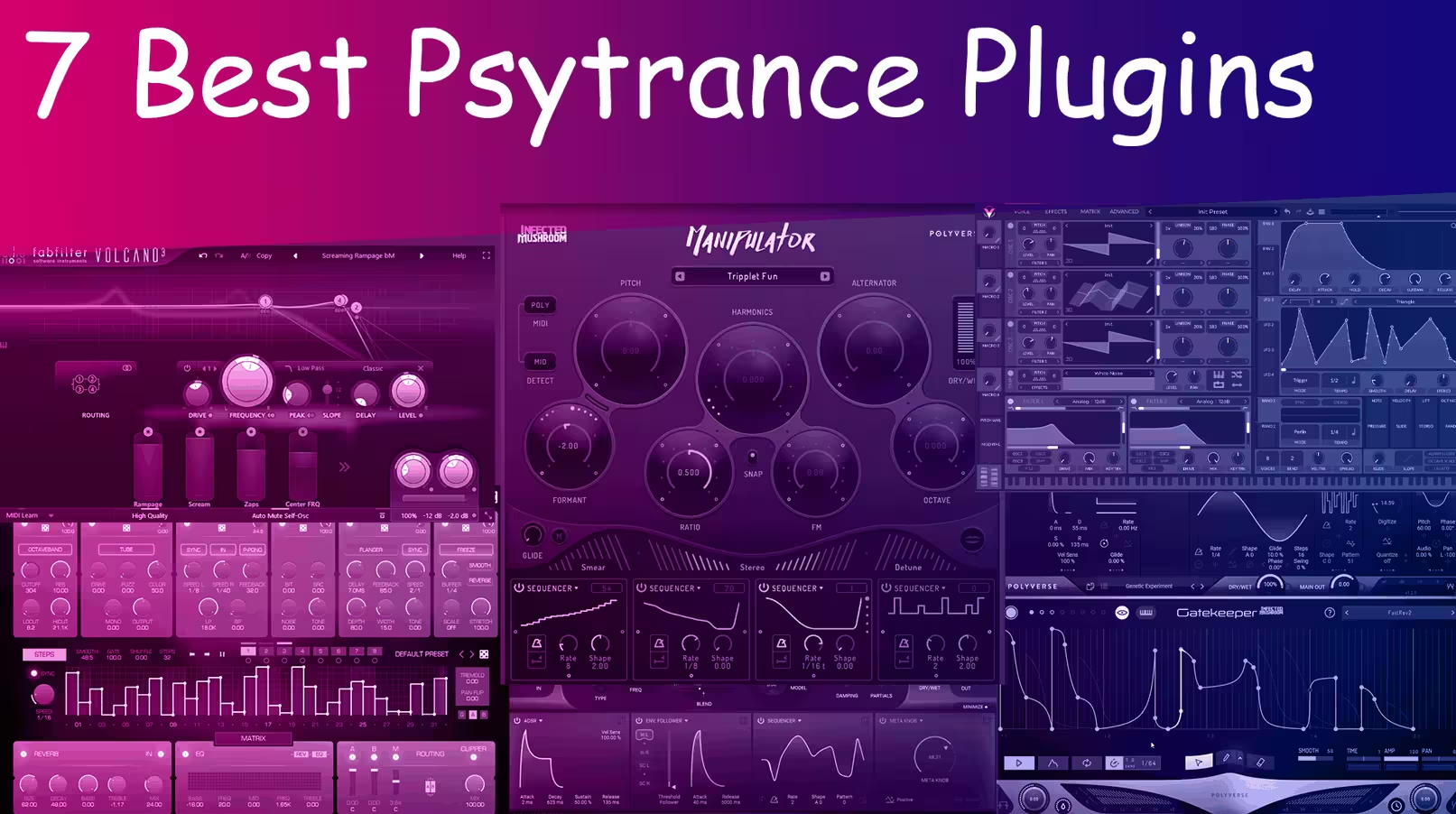
The plugins below cover very different parts of that process. Some are specialized sound-design tools, others are modulation-heavy effects, and one is a genuinely capable free synth.
I picked them because each one gives me a different way to create the rhythmic, evolving, slightly hypnotic character I associate with psytrance and GOA.
1. Polyverse Manipulator
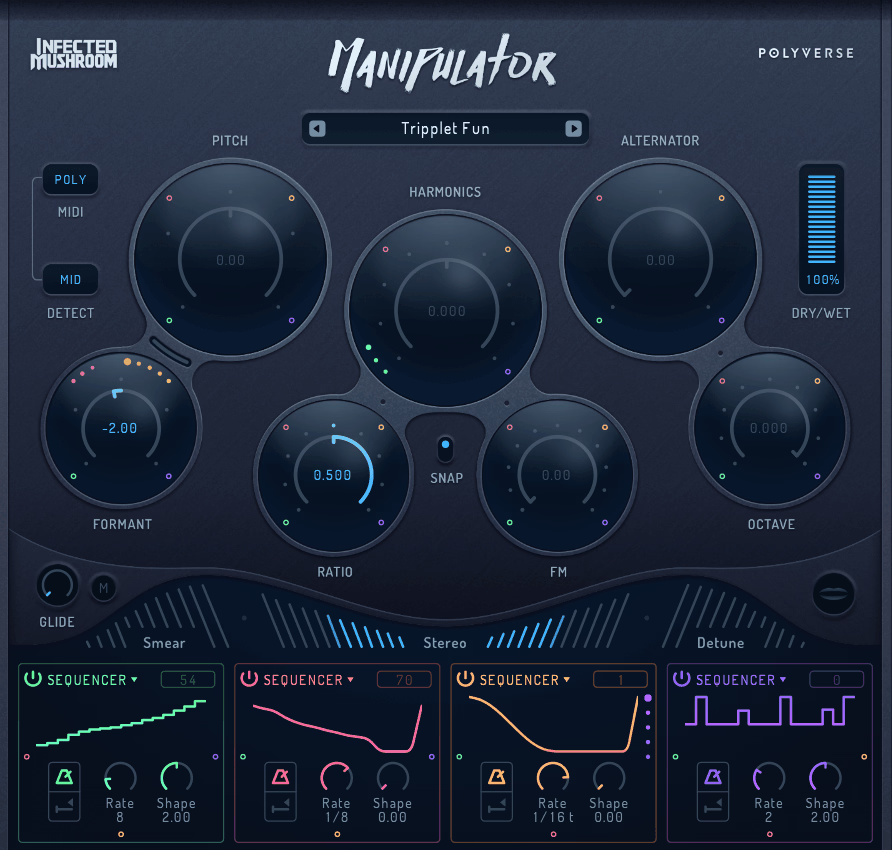
Manipulator from Polyverse Music, developed in collaboration with Infected Mushroom, is a granular vocal and audio processor built around dramatic changes in pitch and timbre.
It works particularly well with monophonic material, meaning a source built around one note at a time, such as vocals, leads, or basslines. Rather than behaving like a conventional pitch shifter, it can combine pitch, formant, harmonic, and granular processing to turn a familiar sound into something much more synthetic.
I find it especially useful when a vocal, lead, or sustained bass part sounds too predictable. Instead of replacing the source completely, I can keep its original character underneath while pushing the processed version into much stranger territory.
Manipulator includes 10 effects built around several core processing algorithms, including pitch shifting, formant shifting, harmonic shifting, the Grain Alternator, Smear, Stereo, and Detune. Its real strength comes from combining several of those processes instead of treating them as isolated effects.
- Live MIDI and Poly Mode
Manipulator can respond to MIDI input, allowing me to play the pitch of incoming audio in real time. In Poly mode, it can generate up to four simultaneous voices, which makes it possible to turn a single vocal or monophonic recording into harmonized material.
The gated Mono and Poly modes are particularly interesting for psytrance because they mute the plugin when no MIDI note is being held. That makes a sustained recording behave more like a playable instrument, which is useful for creating rhythmic vocal stabs and controlled melodic phrases.
- Meta Knob
The Meta Knob lets multiple parameters respond to one macro control. Instead of automating several controls separately, I can assign them to one knob and move the sound from relatively natural to completely transformed with a single gesture.
For builds and transitions, this is much more practical than drawing a dozen automation lanes when I simply want the sound to become progressively stranger.
- Grain Alternator
The Grain Alternator is one of the most useful parts of Manipulator for experimental psy sounds. It works by cutting the source into grains and shifting individual cycles, while the grain length can range from 1 to 256 cycles, covering up to 8 octaves of change.
At moderate settings, it can add thickness and movement without completely destroying the source. Push it further and the processing becomes much more abstract, including the subsonic, LFO-like timbral movement that can work extremely well on drones, textures, and evolving leads.
2. Polyverse FilterVerse
Filtering is fundamental to psytrance, but I rarely think of it as something that should remain static. A simple low-pass sweep can work, but the genre becomes much more interesting when the cutoff, resonance, routing, stereo position, and filter character all change together.
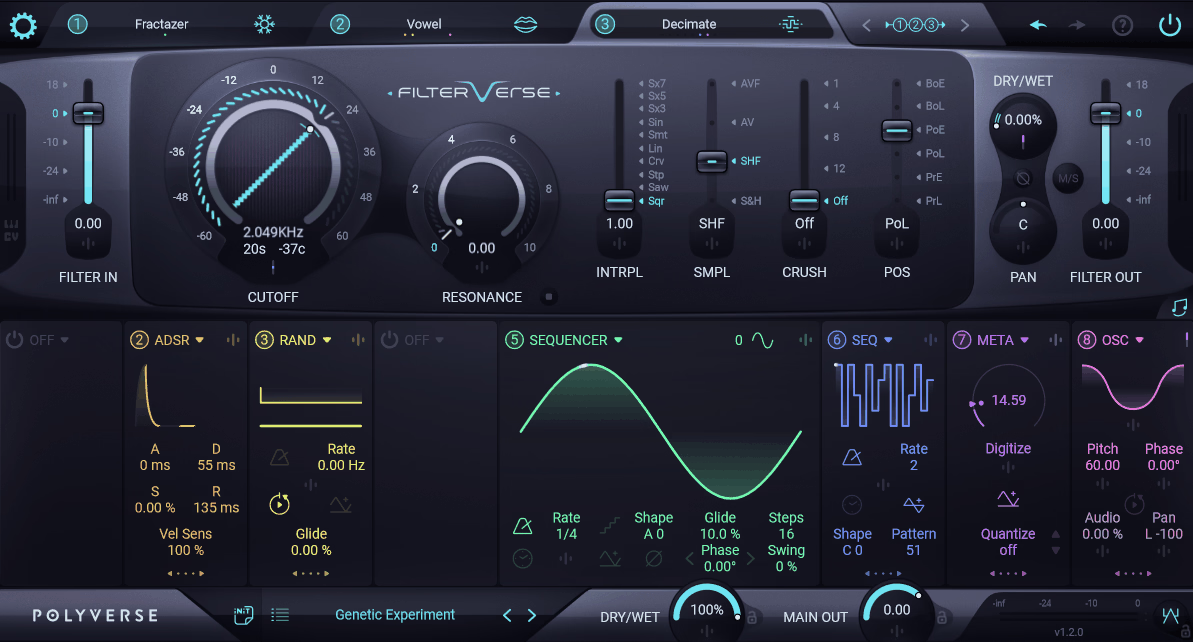
That’s where FilterVerse from Polyverse stands out. It combines multiple filter slots with extensive modulation and routing, so it feels less like a conventional filter plugin and more like a sound-design environment built around filtering.
I especially like it for psy basslines, where subtle changes in filter behavior from note to note can make a repetitive pattern feel much more alive.
The plugin provides three processing slots, a wide range of filter types and several unusual processors, alongside eight modulation sources that can interact with one another. That combination is where most of its depth comes from.
- Three Filter Slots
FilterVerse lets me use up to three filters at once, choosing from its large collection of classic and experimental models.
The interesting part isn’t simply stacking three filters. I can also move them around in the routing system, use different filter characters at different stages, and treat each stage as part of a larger sound-design chain.
For a psy lead, for example, I can keep one stage relatively clean, use another for resonance and harmonic emphasis, and let the third introduce a more unusual character.
- Five Routing Schemes
The three filters can be arranged in series, parallel, and hybrid routing configurations. Changing the routing can have as much impact as changing the filter itself because it determines how strongly one stage interacts with the next.
I find that particularly useful when I want the same patch to move between subtle and aggressive sounds without building a completely different effect chain.
- Non-Filter Effects
FilterVerse also includes several processors that go beyond conventional filtering, including a rhythmic granular delay, resonant effects, and more destructive processing.
That matters because a psytrance sound doesn’t always need another traditional filter sweep. Sometimes the more effective move is to introduce a rhythmic delay or unusual resonant texture while the filter itself remains relatively simple.
- Eight Modulation Sources
The plugin has eight modulation sources, including a sequencer/LFO, ADSR, envelope follower, random source, pitch detector, MIDI/CV input, audio-rate oscillator, and the Meta Knob.
More importantly, these sources can interact with parameters and with one another. That makes it possible to create movement inside the patch instead of relying entirely on DAW automation.
For evolving GOA sounds, this is one of FilterVerse’s biggest advantages.
- MIDI and CV Input
FilterVerse supports MIDI and CV control, allowing external notes, controllers, or CV signals to influence the filtering and modulation.
I wouldn’t call this an essential feature for every producer, but it becomes much more valuable if you’re combining software with hardware or want to use a hardware sequencer as part of the modulation system.
- Per-Filter Stereo Controls
Each filter slot also provides its own panning, phase, and Mid/Side controls, which means I don’t have to wait until the end of the processing chain to work on the stereo image.
That can be useful for keeping the low end controlled while allowing higher-frequency layers to spread outward, particularly on leads, atmospheres, and percussion rather than the central psy bass itself.
3. Polyverse Supermodal
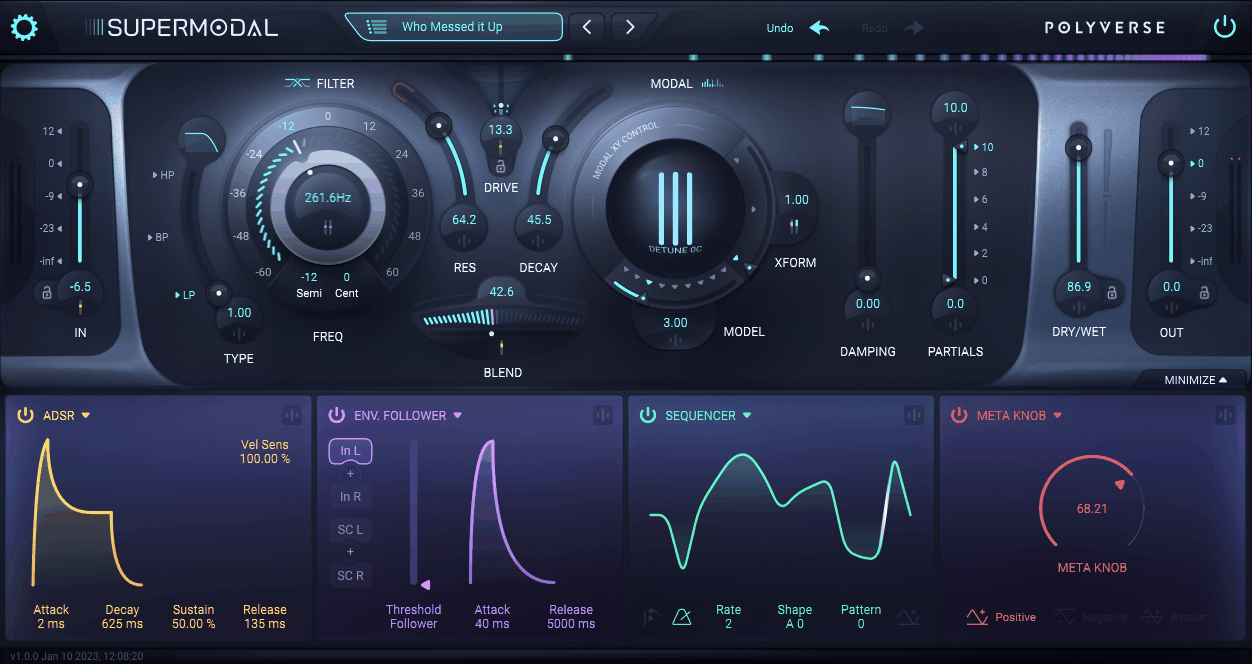
Modal synthesis is one of those approaches that sounds unusual the moment you hear it. Instead of simply filtering a waveform, Supermodal models resonant behavior using many narrow-band filters, creating tones that can feel metallic, wooden, physical, or almost bell-like.
That makes it quite different from the other Polyverse plugins here. FilterVerse is about flexible filtering, Manipulator is about transforming existing audio, while Supermodal is about creating and shaping resonant characteristics.
For psytrance and GOA, I see it as a specialist tool rather than an everyday synth. I wouldn’t load it on every channel, but when a lead, pluck, percussion sound, or texture needs a more physical and unusual resonance, it can get there very quickly.
- Modal XY Control
The XY control gives me a more continuous way to explore the available modal models and variations rather than forcing me to choose one fixed sound and stop there.
That is particularly useful for automation. A small movement can gradually change the perceived material of a sound, which makes it possible to turn a static pluck or lead into something that evolves while the notes themselves remain unchanged.
- Dual Filter Engine
Supermodal combines its modal filter, which uses hundreds of precise band-pass filters to model resonant bodies, with a separate 24 dB-per-octave state-variable filter.
That combination is what makes the plugin more flexible than a pure resonator. I can use the modal section for the unusual resonant character and then use the conventional filter to control the overall spectral shape.
On a psy lead, that can be enough to turn a straightforward synth patch into something much more distinctive without stacking several unrelated effects.
- Meta Knob Macro
Like other Polyverse instruments, Supermodal includes a Meta Knob that can control multiple parameters at once.
I particularly like this type of control for live performance because I can map several sound-shaping parameters to one hardware knob and perform gradual changes instead of relying entirely on mouse automation.
4. Polyverse Gatekeeper
Gating is one of the simplest ways to create movement, but it is also one of the most useful. Psytrance relies heavily on tightly controlled rhythmic patterns, whether that’s the familiar pumping effect on basses, chopped vocals, rhythmic pads, or short repeated accents.
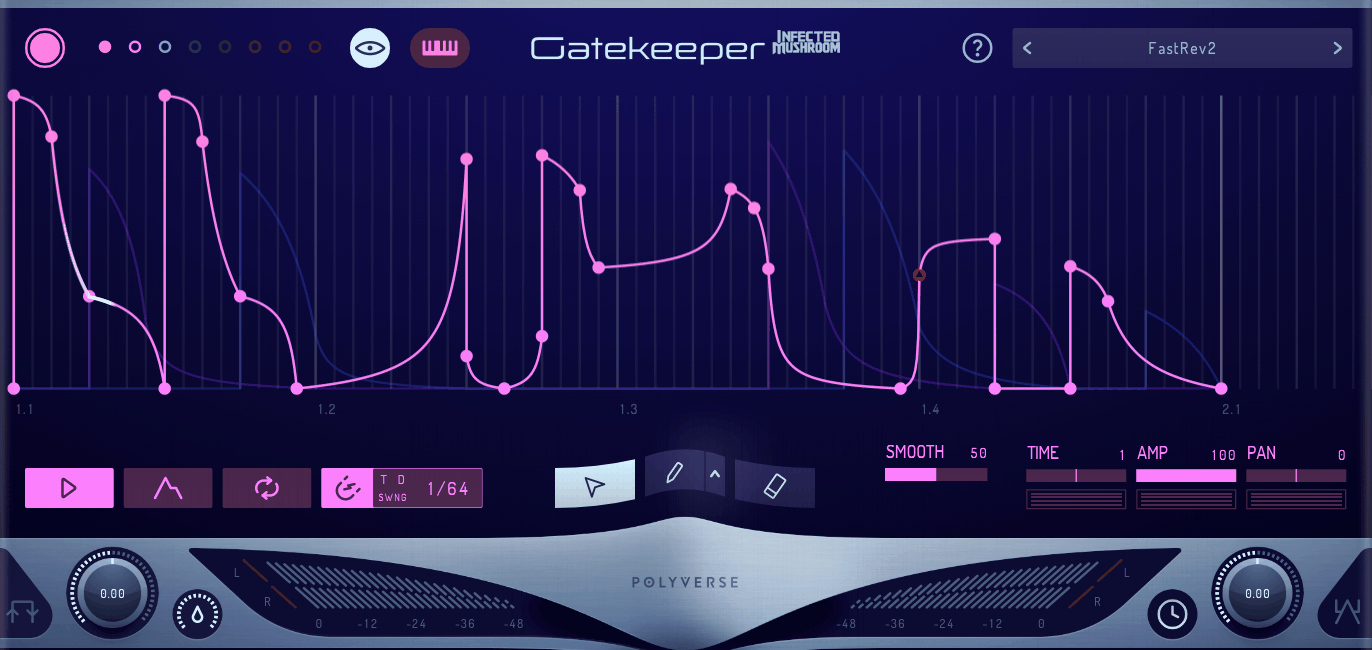
Polyverse Gatekeeper, developed in collaboration with Infected Mushroom, takes that concept much further than a conventional volume gate.
The plugin provides eight independent volume envelopes, drawing tools, MIDI triggering, and both CV and MIDI CC output. In practice, that makes it as useful as a modulation tool as it is a gating effect.
I find it especially useful when I want precise rhythmic movement without manually drawing every volume change in the DAW.
- Eight Independent Envelopes
Each of Gatekeeper’s eight envelopes can be edited and triggered independently.
That means I can use separate patterns for different aspects of a sound, create layered rhythmic movements, or use multiple envelopes to build more complex patterns.
It’s also useful for stereo work because the envelopes can be used to create different movement across a signal rather than simply repeating one volume shape.
- Curve Brush Editing
Gatekeeper includes a set of envelope brush shapes designed to make rhythmic patterns faster to draw. The current manual documents 30 brush shapes, which can be edited and supplemented with copied shapes.
For psytrance, that’s a genuinely useful workflow improvement. Instead of treating every rhythmic gate as a custom automation project, I can start with a shape, modify it, and move on.
- CV and MIDI CC Output
This is one of Gatekeeper’s features that makes it much more interesting than a normal gate.
The plugin can send CV to modular hardware and MIDI CC to other instruments and effects, allowing its envelopes to control parameters outside the plugin itself.
That turns a volume effect into a general-purpose rhythmic modulation source, which is particularly useful in hybrid hardware/software setups.
- Boost and Clip
Gatekeeper also includes boost and clip controls for adding extra punch to the gated signal.
I wouldn’t use this on every sound, but it can be useful when a gating pattern feels too polite. A little clipping can make the individual pulses feel more aggressive and immediate, which suits the genre particularly well.
- Extended Sequence Length
With up to 1024 nodes, Gatekeeper can create extremely long envelope sequences, with the manufacturer specifying sequences of up to around 20 hours.
You obviously don’t need anything remotely that long for a normal psytrance track, but the important point is that the envelope system isn’t limited to a tiny repeating pattern. For long-form performance or evolving generative material, that additional headroom can be useful.
5. DS Tantra 2
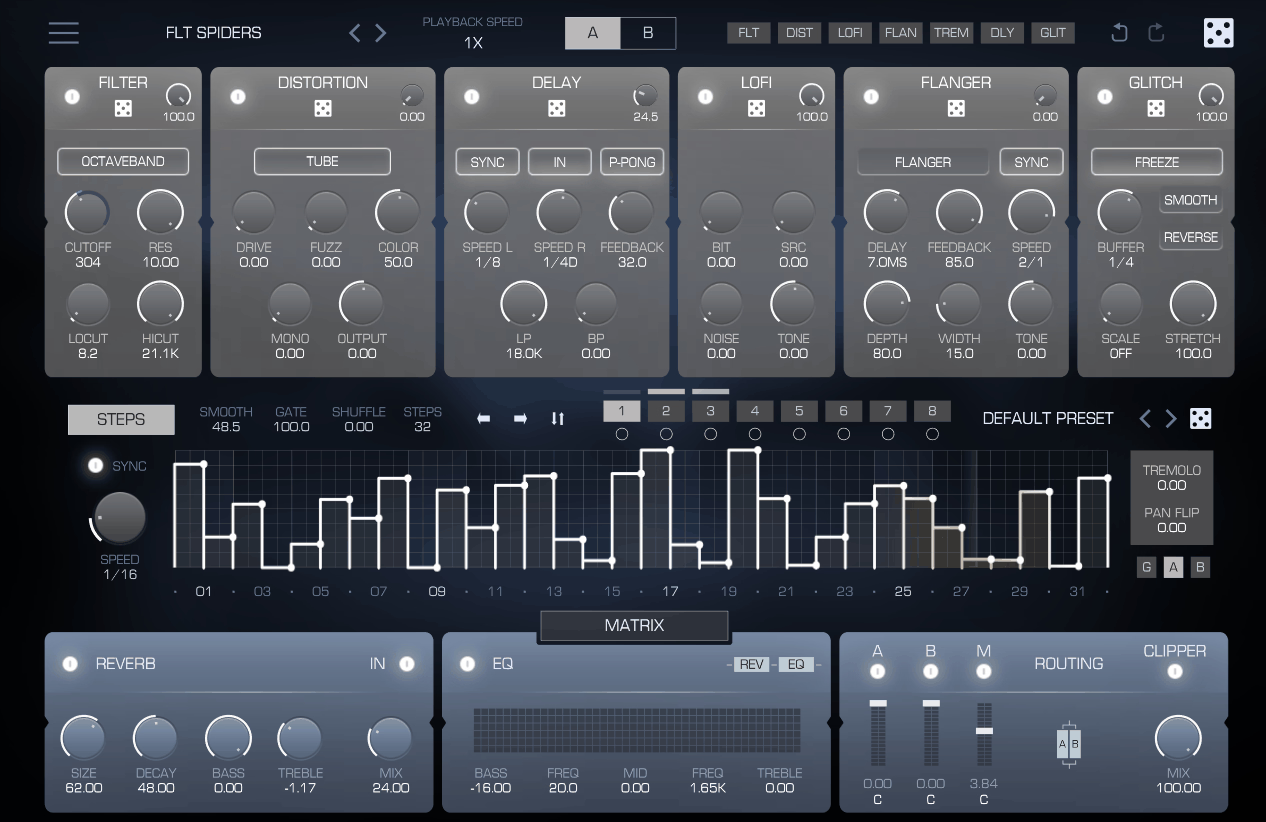
Tantra 2 is a different kind of tool. It’s not a synthesizer and it isn’t really trying to replace one. Instead, it takes an existing sound and gives you a large number of ways to turn it into something rhythmic.
The plugin combines six two-stage effect modules covering areas such as filtering, distortion, delay, lo-fi processing, flanging, and glitch effects, with two independent processing layers and a large modulation system.
I particularly like this approach for psytrance because it can take a relatively plain source and introduce movement without requiring me to completely redesign the original patch.
- Six Effect Modules
Tantra 2 includes six effect categories that can be arranged within its two-stage structure.
The important part is that the effects don’t have to behave like a conventional serial chain. The way I route, layer, and modulate them can change the rhythmic character of the sound just as much as the individual effects themselves.
That’s why I find Tantra 2 especially useful on pads, atmospheres, percussion loops, and sustained synth sounds that need more motion.
- Dual Effect Layers
Layer A and Layer B give me two independent effect paths that can be blended together.
I can use one layer for something relatively rhythmic and controlled while letting the other introduce more chaotic processing. Blending between them creates movement without needing a separate duplicate track.
For evolving psy textures, that can be much faster than building two completely separate effect chains.
- Thirty-Two Step Modulators
Tantra 2 includes eight modulators, with each one capable of working across a 32-step envelope.
That is where much of its rhythmic character comes from. The effects themselves aren’t necessarily unusual enough to define the sound on their own, but once I start combining tempo-synced modulation with filtering, distortion, delay, and glitch processing, a simple source can become much more animated.
- Convolution Section
One of Tantra 2’s more unusual touches is its convolution processing, which uses impulse responses based on unconventional sources rather than only clean studio spaces.
I like this as a quick way to add character and texture to a sound. A little unusual convolution can give a pad, percussion loop, or transition a worn, gritty texture without having to build the effect from several separate processors.
6. FabFilter Volcano 3
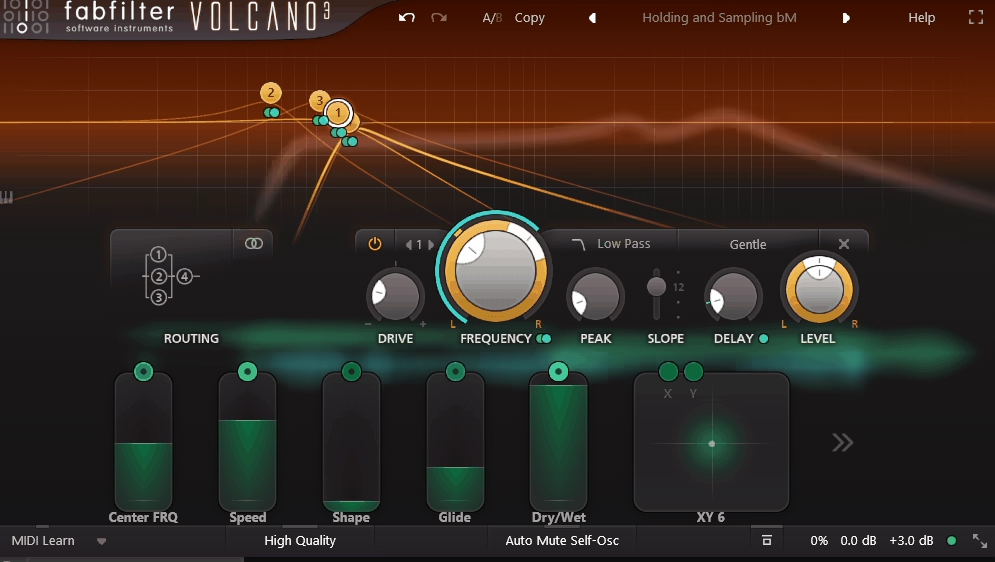
Not every plugin on a psytrance list needs to have been designed specifically for psytrance. Filtering is so deeply connected to the genre that a genuinely flexible filter can be more useful than a narrowly specialized one.
That’s why Volcano 3 from FabFilter deserves a place here.
It provides four simultaneous filters, multiple filter shapes, per-filter drive, and a modulation system built around tools such as XLFOs, envelope generators, and envelope followers.
What I like about Volcano 3 is that it doesn’t force me into a particular genre workflow. I can use it for psytrance basses and leads, then put it on a completely different project and use the same modulation system in a different way.
- Four Simultaneous Filters
Volcano 3 gives me four filter slots with multiple filter characteristics and slopes ranging from gentle to steep.
That makes it useful for more than basic low-pass sweeps. I can combine different filter shapes, use separate stages for different frequency ranges, and introduce drive at individual stages of the chain.
For a psy lead, that can create movement that feels considerably more involved than simply automating one cutoff control.
- Sixteen-Step XLFO
The XLFO is particularly useful for rhythmic modulation because it can work as both a conventional LFO and a step-based modulation source.
That gives me a quick way to create tempo-synced filter patterns for basslines, arpeggios, percussion, and leads without having to draw the entire movement manually in the DAW.
It’s a much more practical approach when the rhythm itself is part of the sound design.
- Transient Envelope Follower
The envelope follower can respond to transients, making it possible to shape filter movement according to the attack characteristics of the incoming signal rather than simply following its overall volume.
I find that useful on percussion and rhythmic loops because the filter can respond to the punch of the sound instead of opening and closing identically across every hit.
- Per-Filter Drive
Each filter includes its own drive control, so I can introduce saturation at different points rather than placing one distortion stage at the very end of the chain.
That gives me more control over how the filtering changes the harmonics. A slightly driven filter can work very well on psy basses and leads when I want movement without losing the core sound.
- High Quality Mode
Volcano 3 also provides a High Quality mode with 4x oversampling for its internal filter processing.
I would not leave this enabled blindly on every track, especially when CPU efficiency matters, but it is useful when pushing resonance and nonlinear processing and I want to keep the result as clean as possible.
7. Vital by Matt Tytel (free)
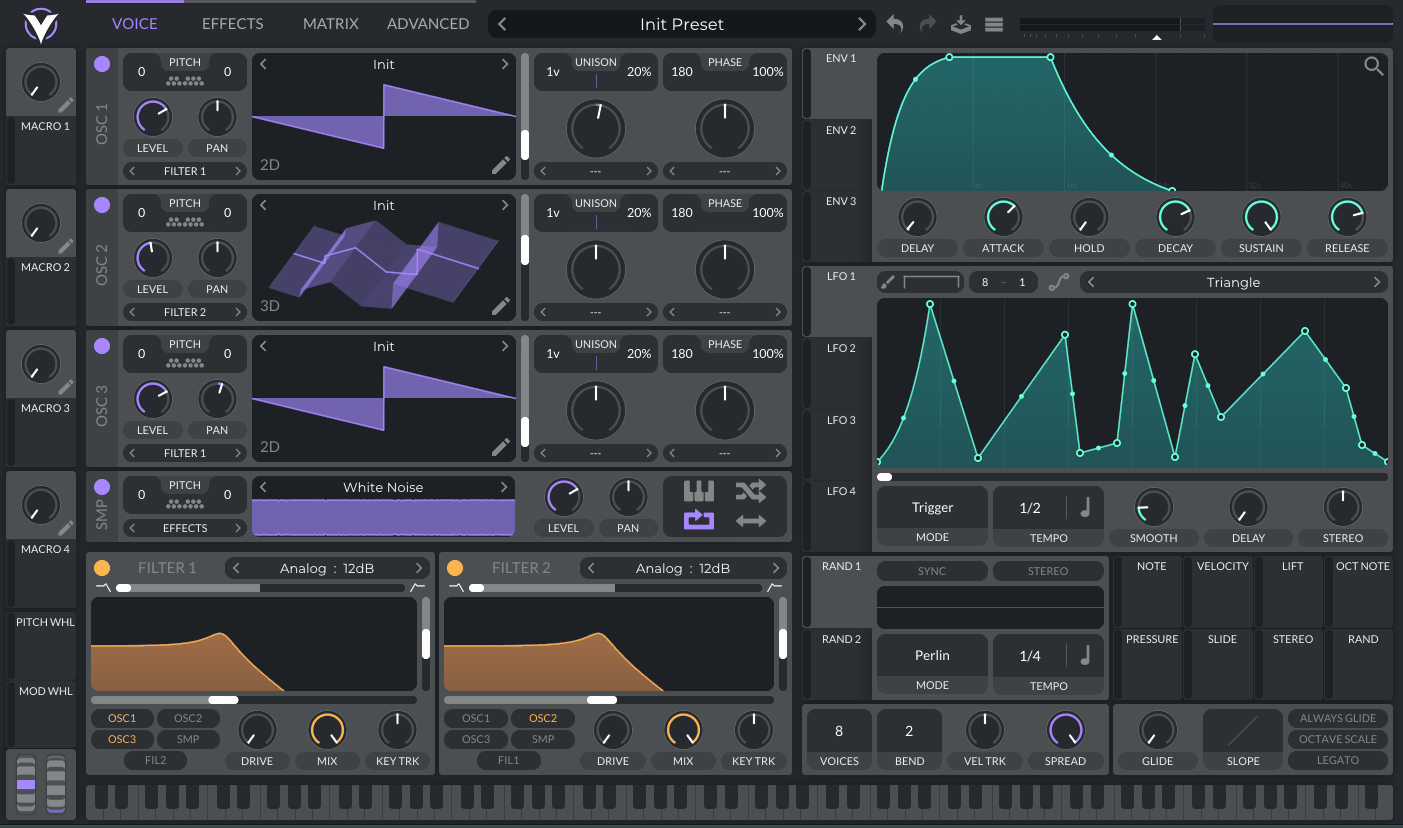
You don’t need an expensive synth collection to make convincing psytrance or GOA sounds. That’s why I wanted to include Vital as the final entry.
Vital by Matt Tytel is a wavetable synthesizer built around spectral processing, extensive modulation, and a very flexible wavetable workflow. The important part is that the free Basic edition includes the full synth rather than functioning as a heavily restricted demo.
The current free version includes 75 presets and 25 wavetables, while the paid versions primarily increase the amount of included factory content and add features such as higher text-to-wavetable allowances. The underlying synth remains fully featured in the Basic version.
For a producer starting out, that makes Vital one of the easiest recommendations on this list.
- Three Oscillators Plus Sampler
Vital gives you three wavetable oscillators plus a sample oscillator, giving you plenty of room to construct layered psy leads, basses, pads, and effects.
The wavetable editor is also a major part of its appeal. Rather than relying entirely on factory tables, I can import material, edit shapes, and build sounds around my own harmonic content.
That makes it much easier to create something that doesn’t immediately sound like a preset.
- Spectral Warp Modes
Vital’s spectral warping works directly on the harmonics of a waveform, allowing a relatively simple wavetable to become much more complex without replacing it entirely.
This is particularly useful for psytrance because small changes in harmonic content can create surprisingly large changes in perceived movement. I can start with a relatively simple oscillator and use spectral processing to push it toward something more unstable and aggressive.
- Text to Wavetable
Vital also has a text-to-wavetable system that can generate a wavetable from a word or phrase.
The feature requires an online service and, outside the higher tiers, is normally limited to five requests per day. That limitation is easy to work around if you don’t use the feature constantly, and I see it more as an experimental bonus than something I’d build an entire production workflow around.
It’s still a fun way to generate starting points that I might not have designed manually.
- Dual Filters Plus FX Filter
Vital provides two main filters with flexible oscillator routing, along with another filtering stage within its effects section.
That gives me several places to shape the spectrum without immediately reaching for another plugin. For psy basses, I can use filtering as part of the synthesis itself and then make another tonal adjustment later in the signal path.
- Free Tier Content
The Basic edition is genuinely useful, rather than simply acting as a teaser for the paid versions.
It includes 75 presets and 25 wavetables, while the paid editions increase the included factory content. The important distinction is that the free version still gives you the full synth, so buying a higher tier is mainly about getting more content and additional account features rather than unlocking the core synthesis engine.
- MPE and Microtonal Support
Vital supports MPE as well as microtonal tuning through formats including .tun, .scl, and .kbd.
These aren’t features most psytrance producers will need every day, but they are useful examples of how much functionality is packed into a free synth. MPE can add another dimension to expressive leads, while alternative tunings can be interesting when experimenting with less conventional melodic material.
Final Thoughts
For me, the common thread between all of these plugins is movement.
Manipulator is the pick when I want to transform vocals, leads, or other monophonic sounds into something much less recognizable. FilterVerse is the most flexible choice for building complicated filter movement directly inside the patch, while Supermodal is the specialist option when I want resonant, physical-sounding tones.
Gatekeeper is the most focused solution for rhythmic volume movement, and Tantra 2 is better suited to turning an otherwise ordinary sound into a more animated, effect-heavy texture. Volcano 3 sits somewhere in between: it’s a highly capable creative filter that isn’t tied to psytrance, but fits the genre extremely well.
Then there’s Vital, which is the easiest recommendation for anyone who wants a serious synth without spending money. It gives you enough synthesis and modulation depth to build complete psytrance sounds before you even start adding third-party effects.
You definitely don’t need all seven. I’d actually avoid buying several plugins that solve the same problem. Start with the type of movement your tracks are missing, then choose the tool that addresses it most directly.
For rhythmic volume movement, I’d start with Gatekeeper. For experimental filtering, FilterVerse is the most obvious choice. For heavily transformed vocals and monophonic material, Manipulator is difficult to replace. And for a free starting point, Vital is the one I’d install first.
Serum 2 is another strong option if your priority is deep wavetable synthesis rather than specialized rhythmic or processing tools, but the plugins above give you a much broader range of ways to create the constant movement that makes psytrance and GOA so distinctive.

Hey, I’m Viliam, I started Music Circuit to write about plugins and gear, so you always know what’s new and what’s worth trying. You’ll also find guides and tips here to help you get started, whether you’re picking your first plugin or building out a full studio.