When you purchase through the links on my site, you support the site at no extra cost to you. Here is how it works.
Let’s talk about some of the best plugins for mixing vocals.
Even a great recording can end up sounding harsh, thin, buried, or disconnected from the rest of the mix. In my experience, the difference usually comes down to a series of smaller decisions: EQ, compression, de-essing, saturation, effects, pitch correction, and overall dynamics all have to work together.
I’ve picked 12 plugins that cover different parts of that process. Some are complete vocal chains, while others do one job exceptionally well. But I wouldn’t use all of them on the same vocal; the better approach is to choose the tools that solve the specific problems you’re hearing.
1. Neural DSP Mantra
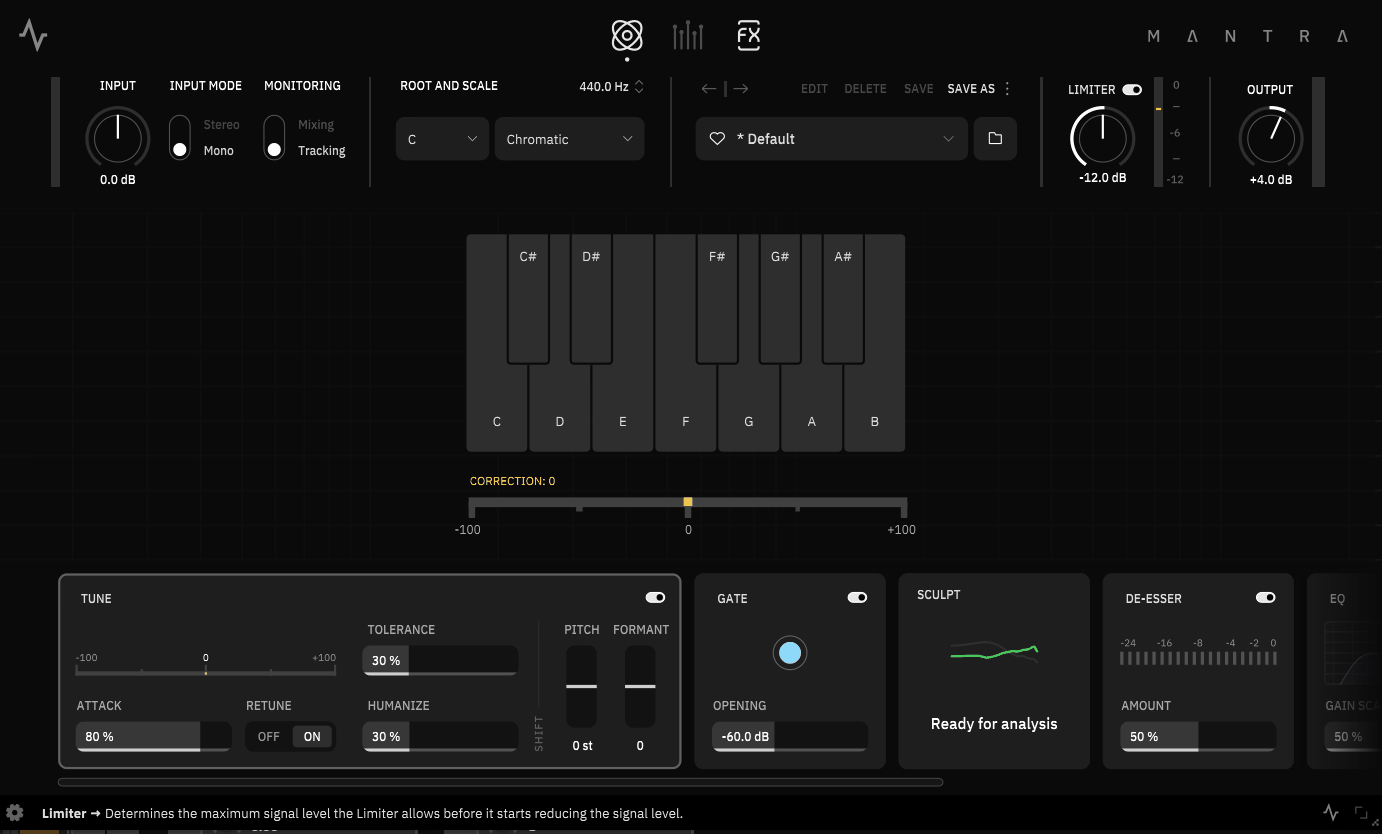
Mantra is the most complete option here if you want to build a vocal chain without stacking half a dozen separate plugins.
I like the workflow because it puts pitch correction, gating, de-essing, EQ shaping, compression, saturation, harmonies, and effects into one interface, while keeping the main controls deliberately simple. Neural DSP also gives you separate Tracking and Mixing modes, so you can monitor through the processed chain while recording and switch to higher-quality processing when you’re mixing.
The part I find most interesting is Sculpt. It analyzes the vocal and creates a tonal curve designed to improve clarity and presence, while Mixing mode adds dynamic spectral processing for controlling harshness and frequency buildup. It’s not a replacement for listening critically, but it can get you surprisingly close to a useful starting point very quickly.
- Sculpt
Sculpt analyzes the vocal’s frequency content and applies an adaptive EQ curve. You can adjust the overall amount and tilt the curve brighter or darker, while the Mixing-mode dynamic control helps manage changing frequency buildup.
- Tracking & Mixing Modes
Tracking mode is designed for low-latency monitoring, while Mixing mode prioritizes processing quality and additional controls. I particularly like this approach if you want the singer to hear a finished-sounding vocal while recording without committing the processing to audio.
- Harmonies & Effects
The Harmonies section can create up to eight pitch-shifted voices, with controls for pitch, level, width, timing, and formant behavior. The Post FX section adds delay, reverb, modulation, and a dedicated doubler, giving you plenty of creative options without additional routing.
2. UAD Topline Vocal Suite
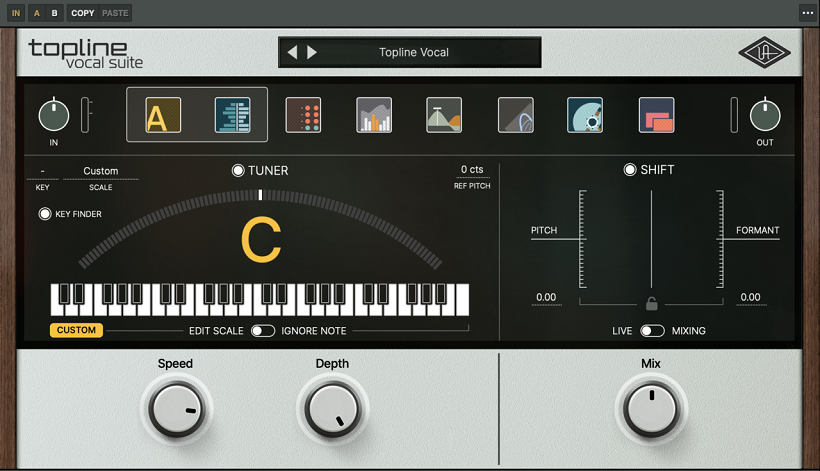
If Mantra is the streamlined modern option, UAD Topline Vocal Suite is the one I’d look at when I want an all-in-one chain with more of a classic analog flavor.
The suite combines pitch correction, a channel strip, de-essing, gating, compression, EQ, saturation, reverb, delay, modulation, and key detection into a single signal flow. It also includes low-latency processing for tracking.
What separates it from the other complete vocal processors is the emphasis on UA’s analog-inspired processing. The channel strip includes preamp, EQ, tape saturation, and compressor emulations, so you can add some character while you’re shaping the vocal rather than treating every stage as purely corrective.
- Analog Character
The channel strip provides vintage-style preamp, EQ, tape saturation, and compression stages. I would choose this approach when the vocal feels too clean or sterile and I want some tonal character built into the chain.
- Pitch & Formant Control
Independent pitch and formant shifting gives you more than simple note correction. You can tighten the performance while keeping control over the vocal’s perceived character.
- Key Finder
The separate Topline Key Finder identifies the key and scale of the song, which can then be used by Topline’s pitch-processing workflow. That’s particularly convenient when you’re working quickly and don’t want to determine the song’s scale manually.
- Effects
Reverb, delay, and modulation are integrated into the same chain, making it easy to build a finished vocal sound without creating multiple auxiliary effects tracks.
3. Pulsar Audio Vocal Studio
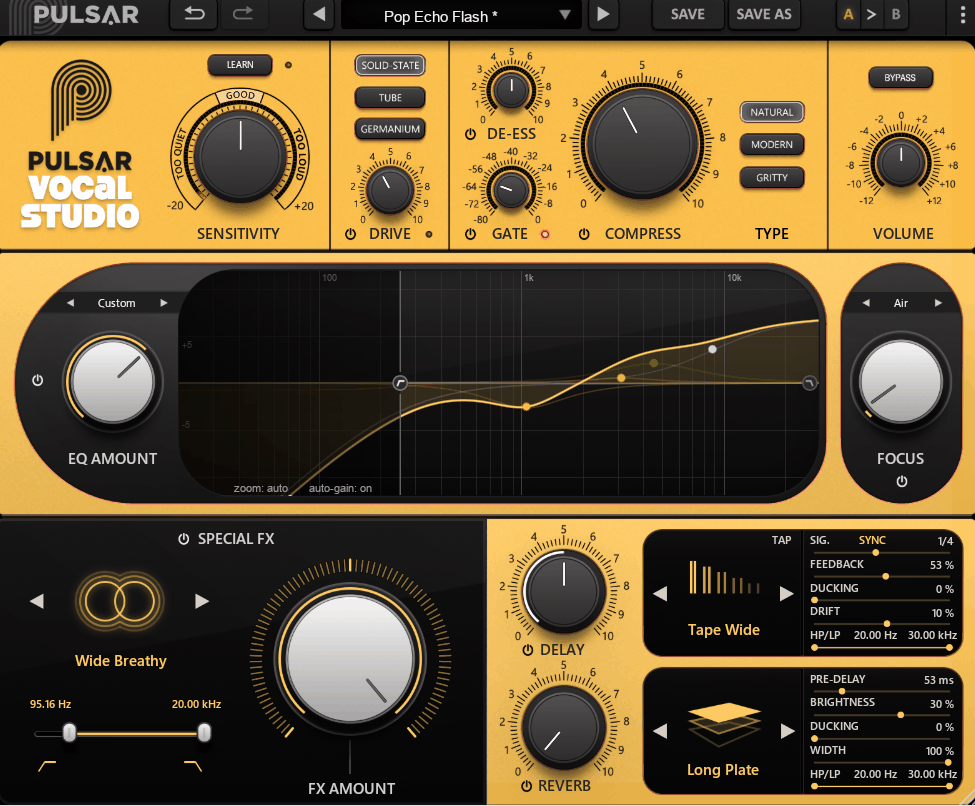
For a more focused approach, Pulsar Audio Vocal Studio is interesting because it tries to make complex vocal processing feel more like adjusting a handful of musical controls.
Instead of giving you a conventional collection of independent compressors and EQ bands, it uses multiple processing stages working together to stabilize the vocal’s dynamics and spectral balance. Pulsar describes this as a push-pull approach where one stage can compensate for changes introduced by another.
That makes it particularly appealing when you know what you want the vocal to do but don’t necessarily want to spend ten minutes adjusting attack, release, thresholds, and individual EQ bands.
- Multi-Stage Processing
The compressor and de-esser sections use multiple processing stages rather than relying on one conventional processor. The result is a more controlled vocal with relatively few parameters to adjust.
- Focus EQ
The integrated EQ provides tonal shaping while the surrounding dynamics processing helps keep those changes under control. I like this concept for vocals because aggressive EQ boosts can easily make sibilance and dynamics more difficult to manage.
- Complete Vocal Chain
Vocal Studio includes dynamics control, EQ, de-essing, saturation, delay, reverb, and other effects in one workflow.
4. SSL VocalStrip 2
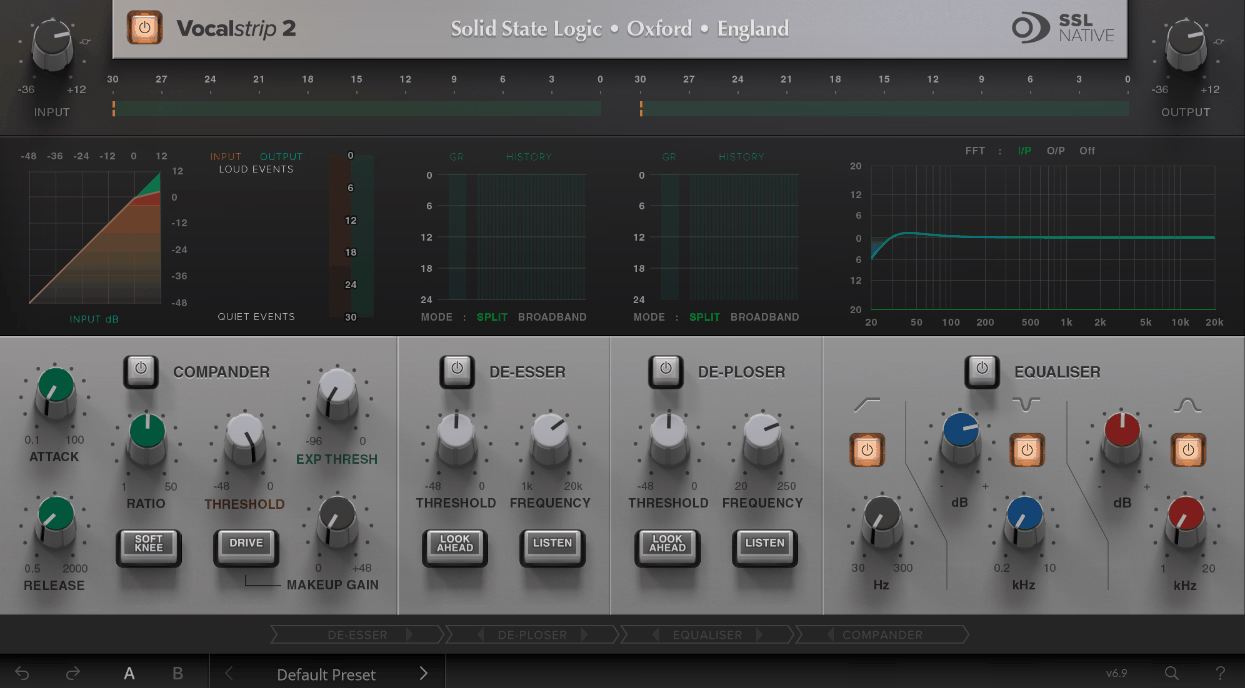
SSL’s approach is much more familiar: VocalStrip 2 takes the idea of a vocal channel strip and puts the main processing stages into one dedicated interface.
You get dedicated vocal processing for de-essing, compression, EQ, and effects, making it a good middle ground between an all-in-one vocal suite and building the chain entirely from separate plugins.
What I like about this type of plugin is that it encourages you to think about the vocal as a complete signal path rather than a collection of unrelated effects. You can move through the chain, solve the obvious problems, and then decide whether you actually need additional processing.
- Vocal-Focused Processing
The modules are designed specifically around vocal production, so you aren’t starting with a generic compressor or EQ and trying to adapt it to the source.
- Compression & EQ Order
Being able to change the relationship between the dynamics and tonal stages can be useful when a vocal reacts differently after EQ. Sometimes I want to shape the tone before compression; other times I want the compressor to react to the original signal.
- De-Essing
The dedicated de-essing stage gives you a straightforward way to control harsh consonants without immediately reaching for a separate processor.
- Channel-Strip Workflow
The sequential layout makes sense when you’re mixing quickly. Rather than opening four different plugins, you can move through the main stages in one place.
5. Valhalla FutureVerb
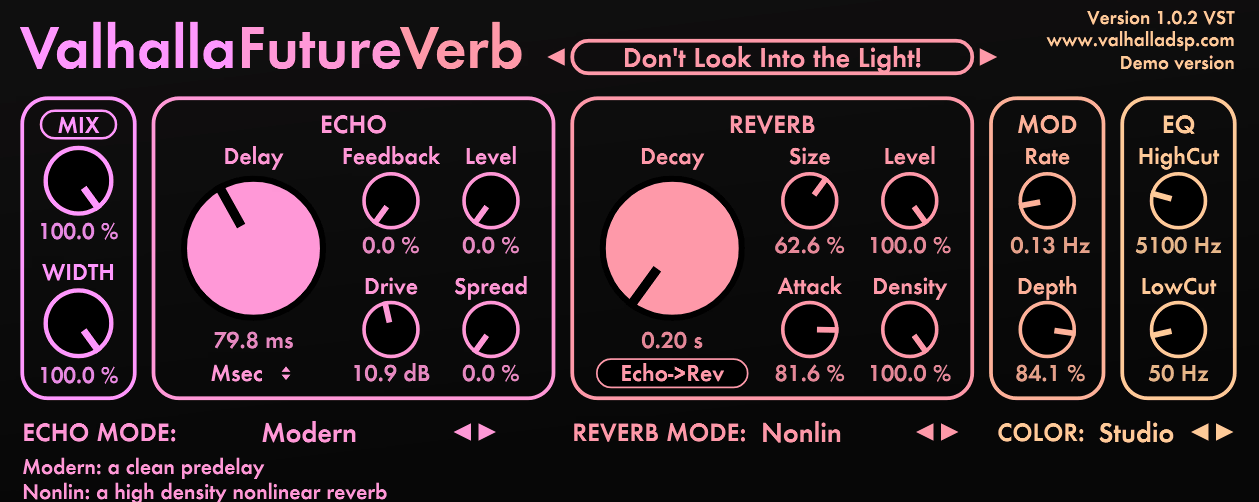
If the vocal already sounds good but needs a more distinctive sense of space, Valhalla FutureVerb is the kind of plugin I’d consider before reaching for another conventional plate or hall.
Its algorithms are designed around more unusual spatial behaviors, so I find it more interesting when I don’t want the vocal to sound like it was simply placed inside a standard room or plate reverb.
That makes it particularly useful for modern productions where the ambience needs to contribute to the identity of the vocal rather than simply make it sound farther away.
- Unconventional Spaces
The different algorithms can create tighter or more abstract spaces that work well when a conventional reverb feels predictable.
- Modern Vocal Ambience
For pop, electronic music, R&B, and other heavily produced vocals, I often prefer a short, controlled space over a huge reverb tail. The right setting can add dimension while keeping the lead vocal forward.
- Creative Effects
FutureVerb can also be pushed beyond realistic ambience. That makes it useful when the vocal effect itself needs to become part of the production rather than remain invisible.
6. Soundtoys MicroShift
MicroShift is one of my favorite choices when the vocal doesn’t need more EQ or compression but simply feels too narrow.
Rather than using conventional stereo widening, it creates width through short, micro-pitched variations that give the ear separate left and right information. That’s especially useful for backing vocals, doubles, and harmonies where I want the layers to spread without moving the main vocal away from the center.
The important thing is restraint. A little can make a vocal feel noticeably larger, while too much can make the pitch movement obvious and weaken the center image.
- Three Styles
The three styles offer different flavors of micro-pitch widening, so you can choose between tighter and more pronounced stereo effects.
- Focus Control
The Focus control lets you restrict the widening toward a particular frequency area. I find that useful when I want to keep the low and fundamental part of a lead vocal centered while allowing more of the upper vocal information to spread.
- Backing Vocals
This is where I’d use MicroShift most aggressively. Several background vocals can quickly become dense in the center, and widening them creates room for the lead without requiring additional tracks.
- Simple Workflow
There isn’t much setup involved: choose a style, adjust the amount, and listen in context. It’s one of those plugins where the fastest route is usually also the most effective.
7. FabFilter Pro-C 3
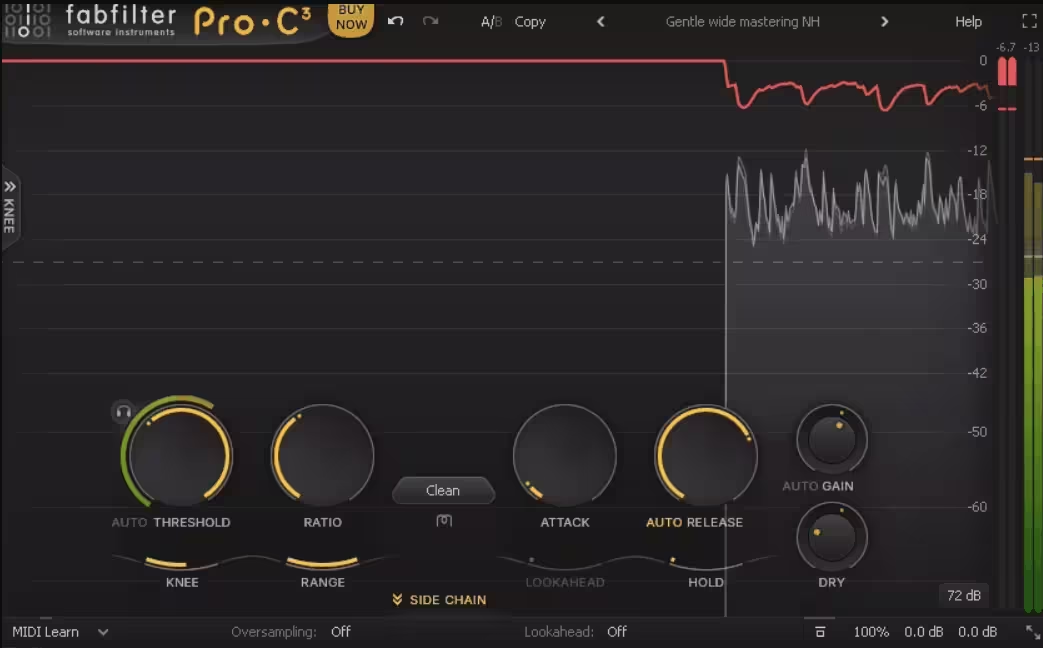
When I want to control a vocal’s dynamics without adding an obvious sonic signature, FabFilter Pro-C 3 is one of the first compressors I’d reach for.
The advantage here is control. You can choose between different compression styles, shape the response, use the sidechain filtering, and watch the compressor react in real time instead of relying entirely on your ears to guess what is happening.
For me, that makes it especially useful when the vocal needs precise dynamic control rather than a specific vintage compressor color.
- Compression Styles
The different styles let you move between transparent leveling and more characterful compression behaviors. That makes it possible to use the same compressor for gentle vocal control or more energetic production.
- Sidechain EQ
Filtering the detector lets you stop certain parts of the vocal from dominating the compression. For example, reducing the influence of low-frequency plosives can prevent the compressor from overreacting to individual words.
8. Slate Digital SD-3A
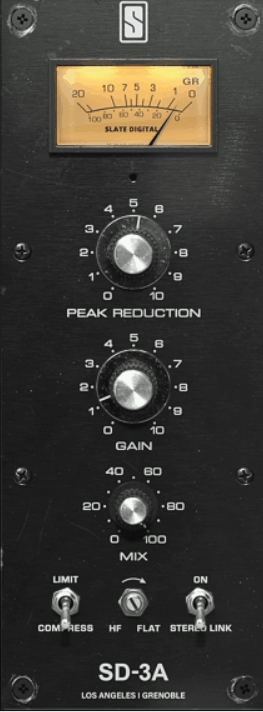
The SD-3A is a different proposition from Pro-C 3: instead of maximizing flexibility, it focuses on the character of an optical-style compressor.
I like this type of compressor on vocals because the response tends to feel less clinical than aggressive digital compression. It can smooth out level changes while keeping the performance feeling like a performance.
The SD-3A is particularly useful when the vocal needs a little more density and consistency but I don’t want to spend time designing the compression behavior from scratch.
- Optical Character
The optical-style response gives the compressor a naturally program-dependent feel, making it well suited to leveling vocals without making every phrase react identically.
- Tone
The modeled circuit also contributes harmonic character, so the plugin can do more than simply reduce dynamic range.
- Simple Control
This is the sort of compressor I’d choose when I want to spend less time adjusting parameters and more time listening to how the vocal sits against the instruments.
9. Waves Silk Vocal
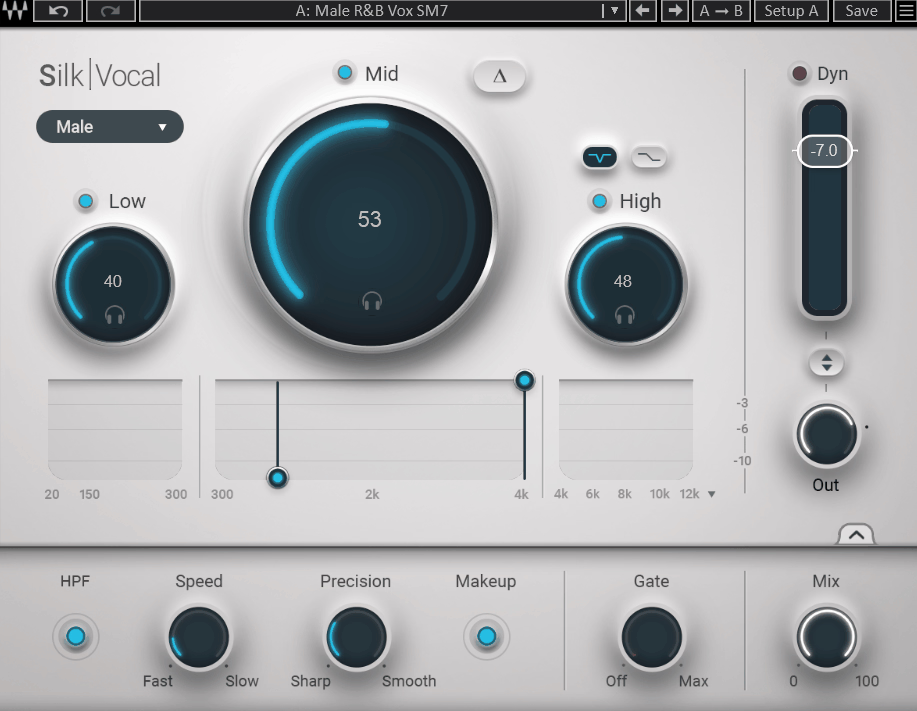
Waves Silk Vocal takes almost the opposite approach to Pro-C 3: instead of giving you a large set of controls, it is designed to get you toward a polished vocal with minimal adjustment.
I find that useful when I’m working through a large session and don’t want to build a custom processing chain for every background vocal or ad-lib.
The main appeal is speed. Rather than treating it as a replacement for a full vocal chain, I’d think of it as a quick enhancement tool when a track needs some additional polish.
- Simplified Processing
The streamlined interface combines several types of vocal enhancement behind a small number of controls, making it approachable if you don’t want to spend time designing an EQ and compression chain manually.
- Vocal-Focused Workflow
Because the processing is built around vocals, you can get to a useful result without starting from a completely neutral general-purpose processor.
- Fast Vocal Stacks
This becomes more useful when a project contains many background vocals, doubles, or ad-libs. The time saved per track can add up quickly.
- Finishing Tool
I would generally use Silk Vocal after I have dealt with the obvious problems in the recording. It makes more sense as a quick polishing stage than as a substitute for fixing a badly recorded or poorly balanced vocal.
10. Waves CLA-2A
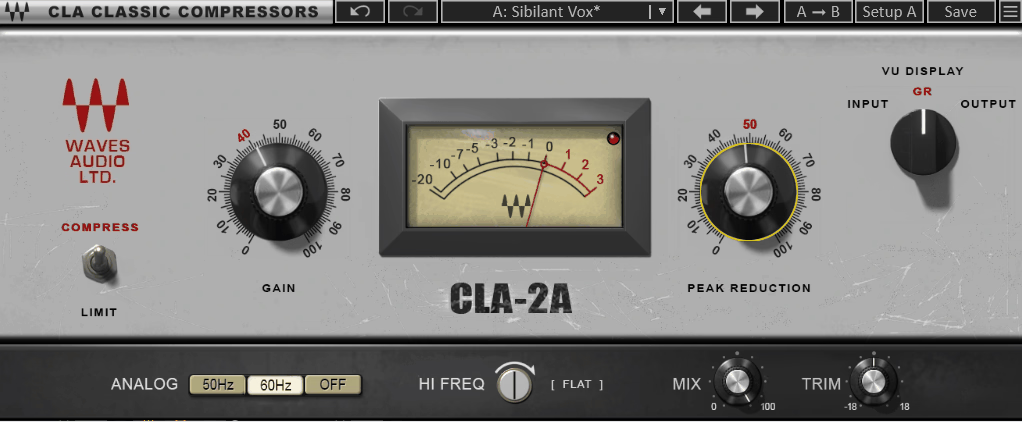
For a straightforward vocal compressor with a familiar optical character, this one remains an easy recommendation.
The appeal isn’t complexity. With CLA-2A , you get the basic behavior associated with an LA-2A-style compressor, along with Waves’ controls for choosing between Compress and Limit behavior and shaping the overall response.
I tend to reach for this kind of processor when the vocal already has the right tone and simply needs smoother level control.
- Optical Compression
The optical-style response is naturally suited to leveling rather than extremely fast transient shaping. That makes it a useful contrast to FET compressors such as the 1178.
- Compress & Limit
The two modes let you move from gentler leveling toward stronger gain reduction when the vocal needs more control.
- Simple Workflow
This is a good example of a plugin where simplicity is part of the appeal. You can get useful results without building a complicated compressor setup.
- Vocal Character
The CLA-2A is particularly useful when you want compression to become part of the vocal’s tone rather than something that is completely invisible.
11. Pulsar Audio 1178
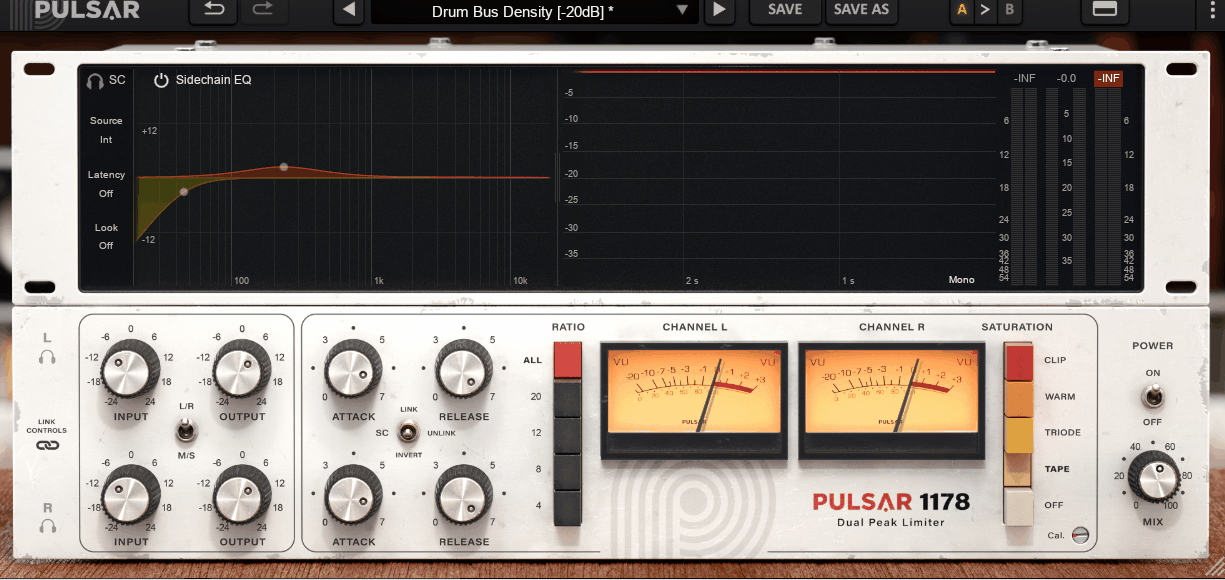
When I want the vocal to push forward, the Pulsar Audio 1178 is much closer to what I’m looking for than a gentle optical compressor.
Its FET-style compression responds quickly, giving the vocal more density and aggression. That’s useful when the singer needs to stay upfront against guitars, drums, synths, or dense electronic arrangements.
The big advantage over simply turning up the vocal is that the compression changes the envelope and density of the performance, helping it maintain energy as the arrangement gets louder.
- FET Character
The fast response makes it well suited to energetic vocals where you want transients controlled and the overall performance pulled forward.
- All-Buttons Mode
The all-buttons configuration creates a more aggressive compression behavior than the conventional ratio settings. I would use it deliberately rather than as a default, because the character can become obvious very quickly.
- Analog Modeling
Pulsar’s modeling approach is intended to reproduce the behavior and coloration of the original circuit rather than simply imitate its control layout.
12. FabFilter Pro-Q 4
FabFilter Pro-Q 4 is the plugin I’d choose when the vocal needs detailed EQ work rather than another broad “make it sound better” processor.
What makes it so useful is the combination of a highly visual interface, precise parametric EQ, dynamic processing, and the ability to move between broad tonal shaping and very narrow corrective work inside the same instance.
For vocals, I find that flexibility particularly valuable. I can make a broad tonal adjustment, identify a resonance, turn that band into a dynamic cut, and keep refining the sound without opening another EQ.
- Dynamic EQ
Individual bands can operate dynamically, which is extremely useful for vocal problems that only appear on certain notes or during louder phrases. A harsh upper-mid resonance, for example, can be reduced only when it becomes excessive instead of permanently cutting that frequency.
- Spectrum Analyzer
The real-time analyzer gives you a visual reference for what’s happening across the frequency range.
- Surgical Precision
With up to 24 EQ bands and detailed control over frequency, gain, Q, and filter behavior, you can use the same instance for subtle tonal shaping or very narrow corrective work.

Hey, I’m Viliam, I started Music Circuit to write about plugins and gear, so you always know what’s new and what’s worth trying. You’ll also find guides and tips here to help you get started, whether you’re picking your first plugin or building out a full studio.