Figuring out the key of a sample, loop, or someone else’s track by ear is a skill. I think building this skill is genuinely useful over time. But let’s be honest, most of us don’t have hours to spend humming intervals against a reference tone every time we want to sample a vocal chop or match a new instrument to an existing session.
That’s exactly the gap these tools fill. Key-detection plugins listen to your audio and tell you its key and scale, usually within seconds. The good ones go further by suggesting compatible chords or flagging tuning drift, or feeding that information straight into your pitch correction and harmony plugins automatically.
With that challenge in mind, I’ve picked five tools. Each takes a distinct approach to key detection, ranging from a free real-time analyzer, which provides instant feedback during music analysis, to a DJ-focused system that has influenced set construction for nearly twenty years.
Some tools are integrated into larger vocal production ecosystems, while others function as standalone, DAW-agnostic solutions. Some tools even share the same detection technology, a detail often unnoticed by users.
I’ll walk through what each one actually does. I’ll cover where it shines and its limits. This should help you figure out which one fits your workflow, instead of just grabbing whichever shows up first in a search.
1. Waves Key Detector
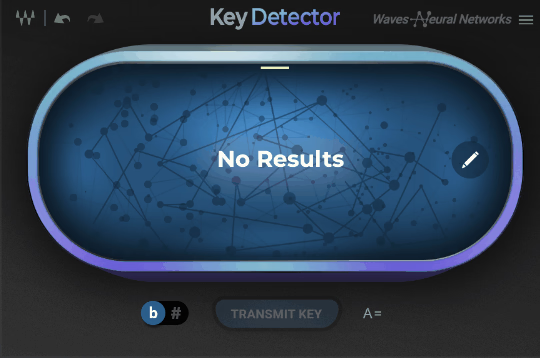
Waves Key Detector runs on the company’s Neural Networks engine. Its pitch is speed combined with integration. You drop it on a track, hit play, and within seconds it hands you a root note and tells you if the scale is major or minor. If the first guess isn’t right, it offers two alternative scale suggestions.
What makes this one genuinely useful in a real session is the “Transmit” button, which sends the detected key directly to other Waves plugins, such as Waves Tune, Waves Tune Real-Time, Waves Harmony, and OVox. If your vocal chain already leans on Waves tools, this removes a manual step that’s easy to forget and annoying to fix later when your tuning plugin is quietly set to the wrong key.
The honest limitation here is that it works best as part of the Waves ecosystem, not as a pure standalone key finder. It can analyze full mixes and multi-instrument samples. It can still detect a key even if the source is slightly off-tune. But if you’re not already using Waves’ vocal tools elsewhere, some of its convenience just doesn’t apply to you.
- AI-driven root note and scale detection
- One-click integration with Waves’ vocal tools
- Handles complex, off-tune, and full-mix audio
2. Cymatics Key Finder
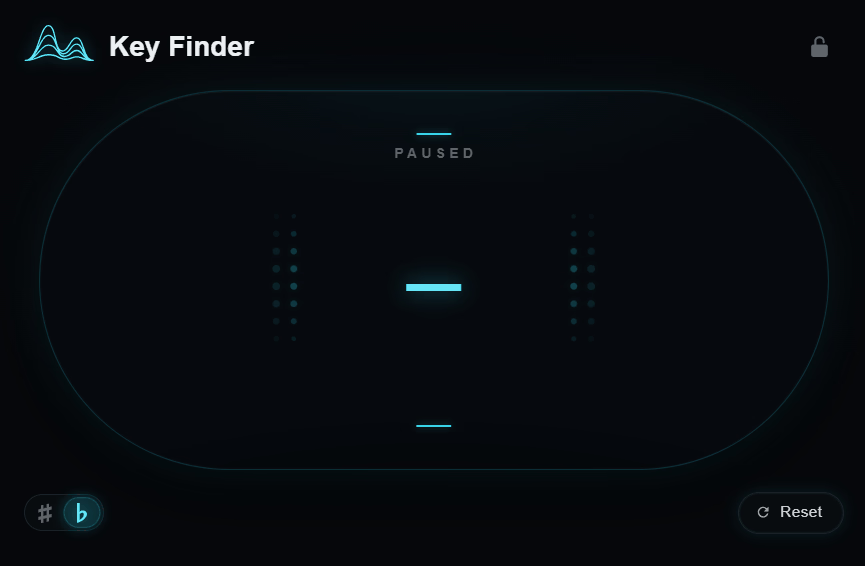
This real-time key detection plugin analyzes the harmonic content of anything you play, whether it’s a sample, vocal, melody, chord progression, or full beat, and displays the result through a clean, uncluttered interface.
- Real-time analysis across multiple source types
Cymatics Key Finder is built to handle samples, vocals, melodies, chord progressions, and full beats. It scans tonal information as the audio plays, instead of needing a separate offline analysis step.
3. zplane TONIC
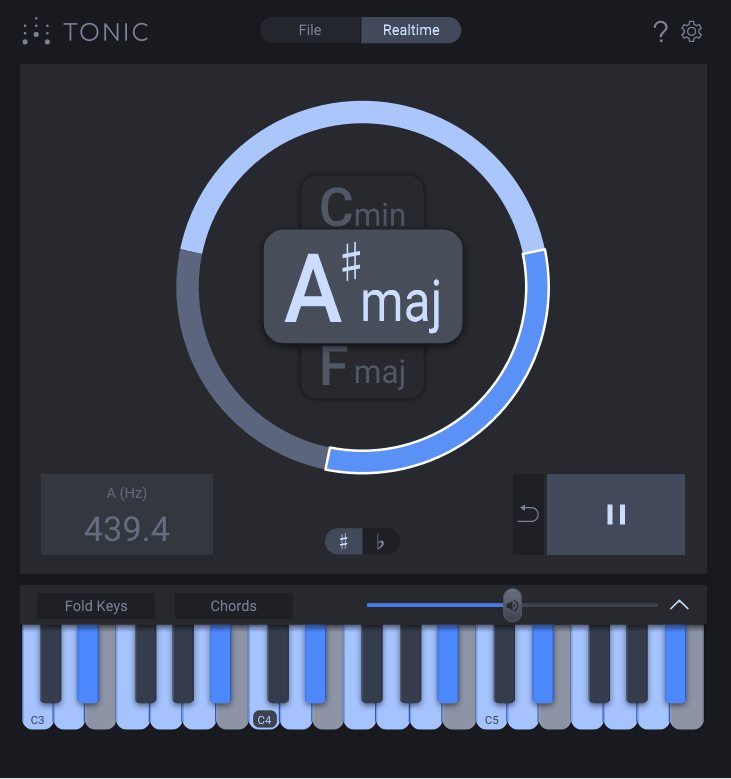
This one takes a notably more musical approach than many key detectors, and I think that’s its biggest strength. Rather than giving you one confident answer, zplane TONIC displays up to three possible keys with probability ratings, which is genuinely more honest about how key detection actually works, since plenty of tracks have ambiguous or borrowed tonal centers that a single-answer tool would just guess wrong on.
Tonic separates itself with a fold-out keyboard panel. This panel shows which notes and chords are compatible with each suggested key, and lets you click through and audition them against the playing audio. There’s also a Chords mode that maps seven compatible chords onto single keys, so you can quickly experiment with progressions. The Fold Keys function hides everything except the notes belonging to the selected key.
- Three-key probability display instead of one guess
Rather than committing to a single answer, Tonic lists three likely keys and displays a confidence graph—offering a realistic feature for handling audio with ambiguous or shifting tonality.
- Interactive keyboard for auditioning notes and chords
- Reference tuning detection in Hz and cents
4. Antares AutoKey 2
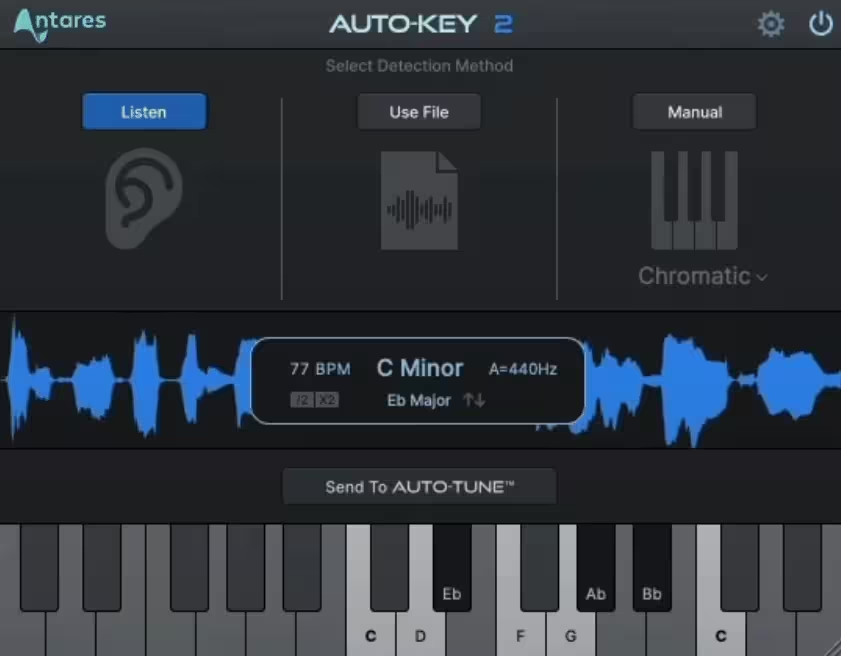
Keeping every instance of Auto-Tune locked to the correct key without manually setting each one is the entire reason this plugin exists. You drag and drop an audio file, or let it scan a track in real time, and it returns key, scale, and tempo information, along with a tuning reference frequency.
Something worth knowing here, and it’s a detail most people miss, is that AutoKey 2 actually uses zplane’s TONART V3 engine under the hood for its key detection. That means the core analysis technology shares real DNA with Tonic, even though the two plugins present the results in very different ways and serve different purposes in a session.
The standout feature is the “Send to Auto-Tune” button, which pushes detected key and scale settings to every compatible Auto-Tune instance in your project at once, which is a genuine time-saver if you’re working across multiple vocal takes or harmony layers.
5. Mixed In Key Studio Edition
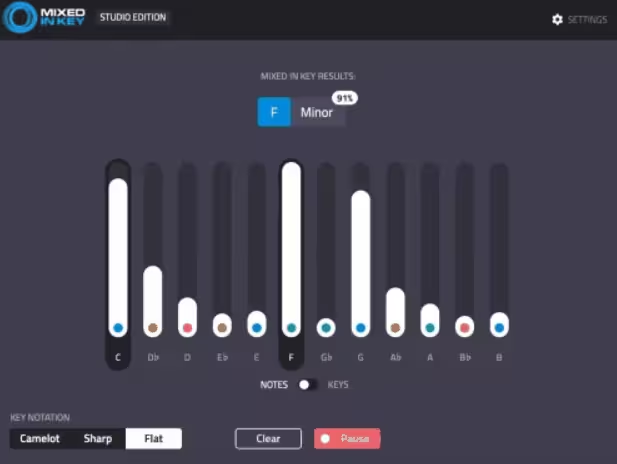
The Camelot Wheel is what built this brand’s reputation in the DJ world in the first place, a simplified version of the circle of fifths that assigns every major and minor key a number-and-letter code, making harmonic mixing accessible without requiring formal music theory knowledge. Studio Edition brings that same detection engine into your DAW as a plugin, rather than keeping it locked to library-scanning software.
You can insert it on an individual audio channel to analyze a specific part, or place it on the master output to determine the overall key of a full arrangement. Results display using Flats, Sharps, or Camelot Wheel notation, depending on which system you’re more comfortable working in, and it also shows a note percentage indicating how closely the detected notes actually match your sample.
- Camelot Wheel notation is built directly into the plugin
- Works on both melodic and percussive material
How to choose?
If you work within the Waves or Auto-Tune ecosystems, Waves Key Detector and Antares AutoKey 2 integrate directly with their respective platforms to automate key detection and save you manual effort. For a free option to double-check a sample’s key before committing, Cymatics Key Finder reliably serves that purpose at no cost.
If you want depth in music theory and the ability to explore compatible chords (not just a single answer), zplane Tonic stands out for thoughtful design. On the other hand, if DJing or harmonic mixing is your primary focus, Mixed In Key Studio Edition delivers nearly two decades of Camelot Wheel refinement within your production workflow. This positions each tool more clearly in relation to user needs.
[sp_easyaccordion id=”5035″]

Hey, I started Music Circuit to write about plugins and gear, so you always know what’s new and what’s worth trying. You’ll also find guides and tips here to help you get started, whether you’re picking your first plugin or building out a full studio.