Filterverse is a multi-filter plugin from Polyverse Music, built around three filter slots that can each host any of the plugin’s 30+ filter types. On paper, that already sounds like a lot.
In practice, it is more than that. The filter catalog runs from classic analog-style designs to processors that barely resemble filters at all, and an 8-slot modulation system sits underneath all of it, letting you animate almost any parameter in the plugin.
I tested it across drums, pads, basslines, and vocals. I went in expecting a solid but unremarkable filter plugin, and that is not what I got.
Interface and workflow
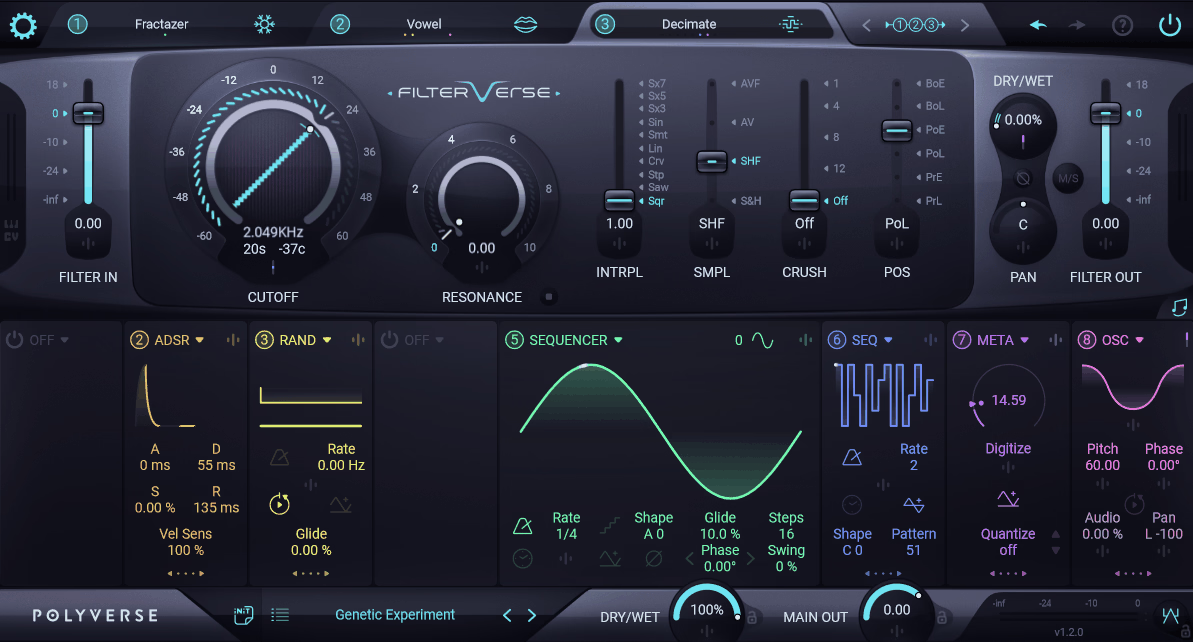
The interface is split into four sections. The top strip holds the three filter slots and routing controls, the upper half shows parameters for whichever filter is selected, the lower half handles modulation, and the bottom strip covers presets, dry/wet, output, and a built-in clipper.
You can load a preset and turn one knob to get a usable result within minutes. The deeper modulation tools are there when you want them, but nothing forces you to touch them on day one.
Here is what you are working with at a glance:
- 30+ filter types, from classic analog designs to non-filter processors like reverb and granular delay
- 3 filter slots, routable in serial, parallel, or hybrid configurations
- 8 modulation sources, cross-modulatable with each other
- 1,000+ presets, tagged by type, mood, and effect category
- VST2, VST3, AU, and AAX formats
- Windows (64-bit) and macOS 10.13+, with native Apple Silicon support
The filter catalog
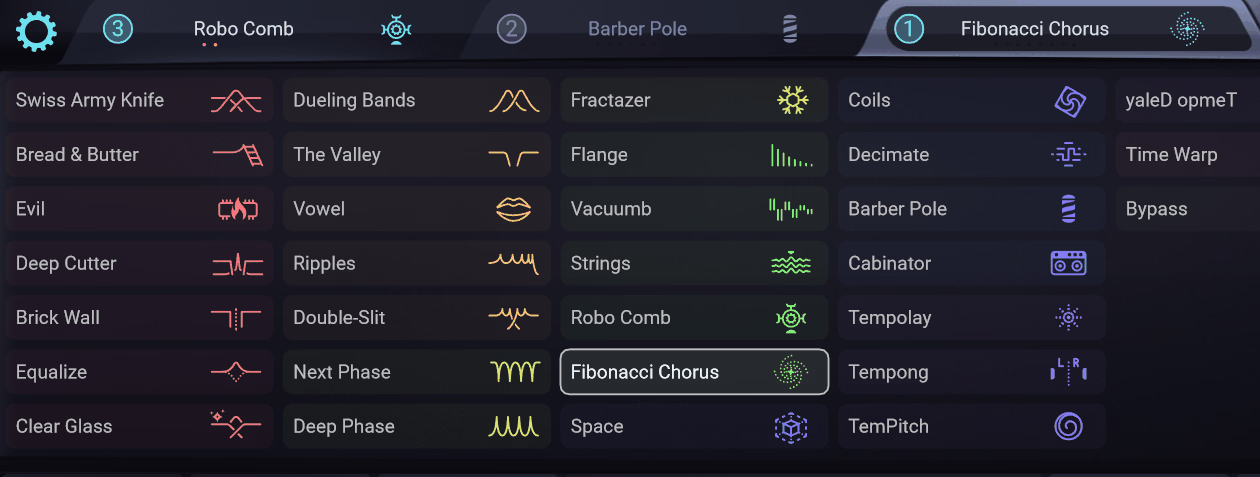
Classic-style filters like Swiss Army Knife, Bread and Butter, and Clear Glass are modeled after specific analog behaviors, and this is the category most producers will reach for first.
On a plain synth pad, Bread and Butter added warmth without turning the sound muddy, which is not something I can say about every saturating filter I have used.
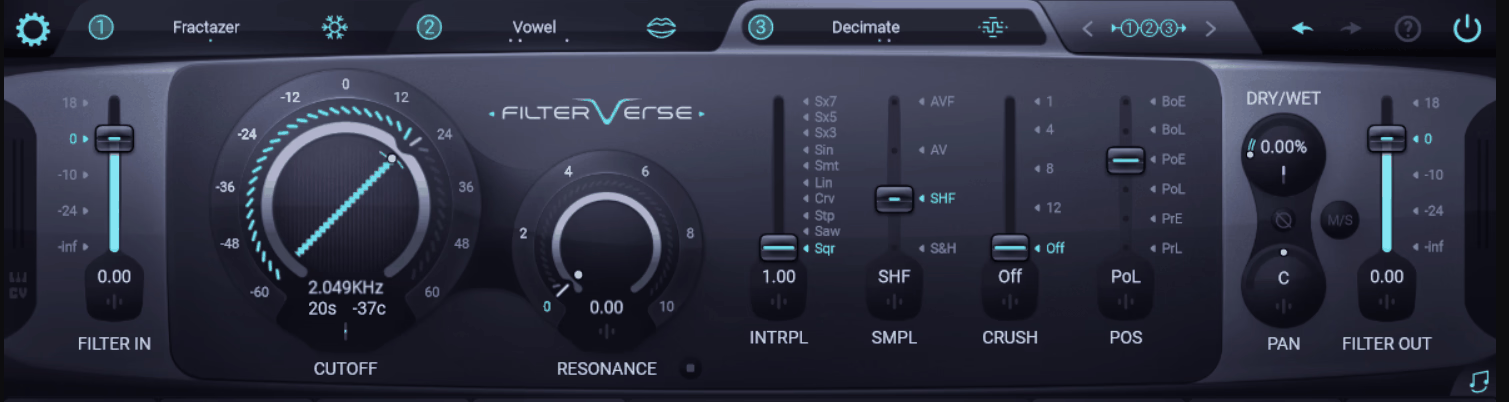
The multi-peak category gets stranger. Ripples, Double-Slit, and Robo Comb (which nests comb filters inside each other) all live here, alongside Vowel, which models mouth shape and vowel formation, and Strings, which uses waveguide synthesis to simulate resonating strings. Both took me a minute to understand, but both earned a place in my sessions once I did.
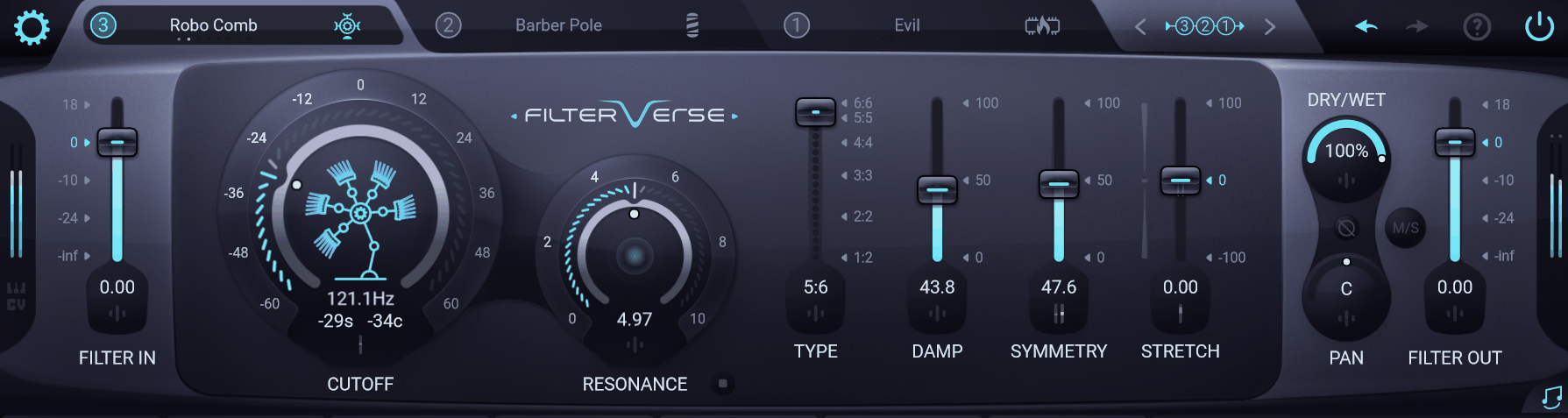
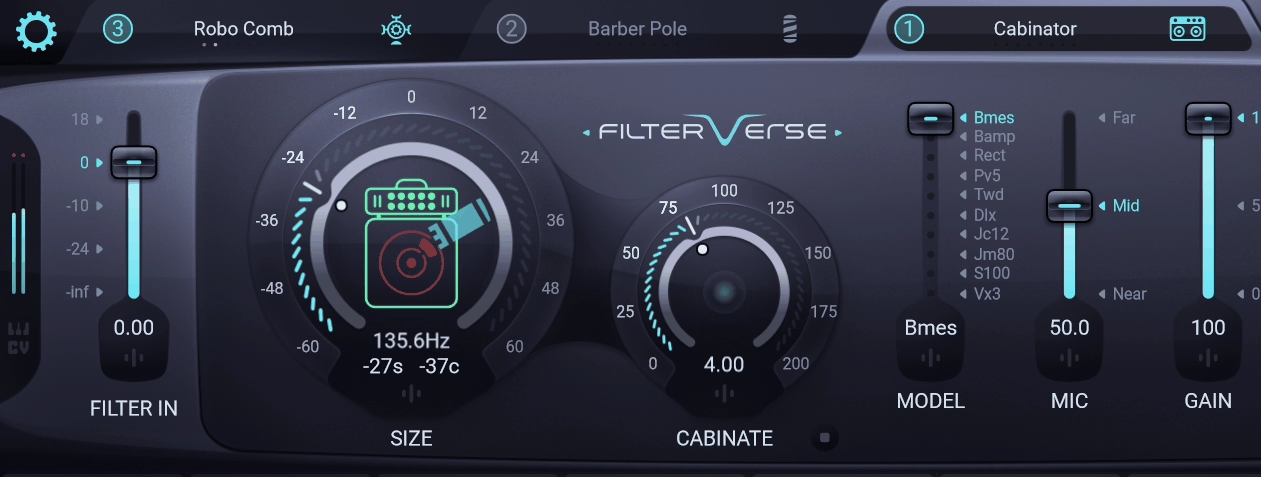
Then there is a category that stops being filtering at all. Space is an elastic reverb, Cabinator is an amp and cabinet simulator, and Tempolay is a tempo-synced granular delay. I ran a dry drum loop through Cabinator on its own and it held up better than I expected from a plugin that is technically sold as a filter.
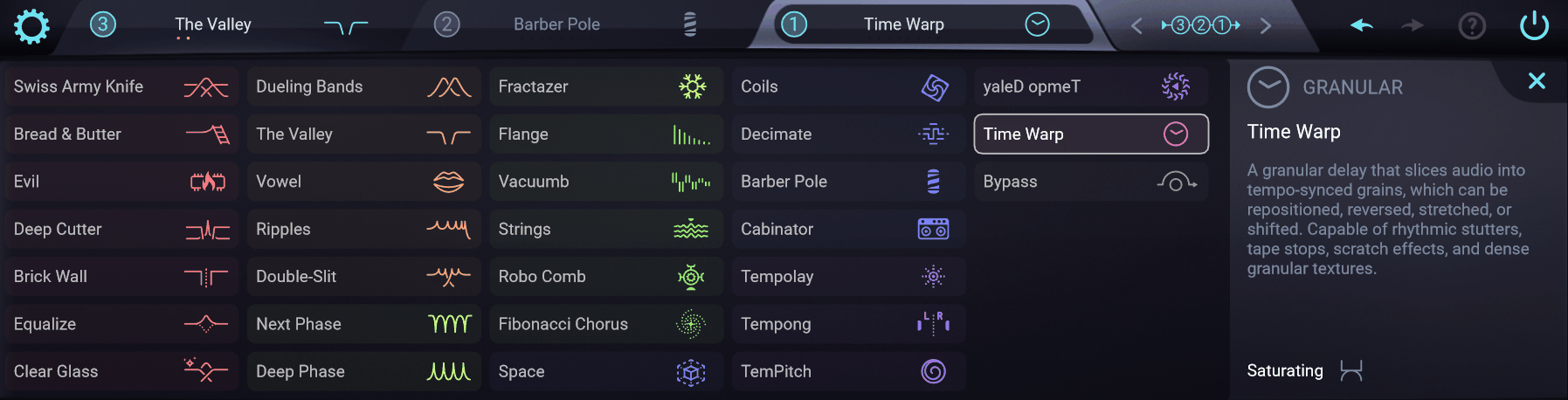
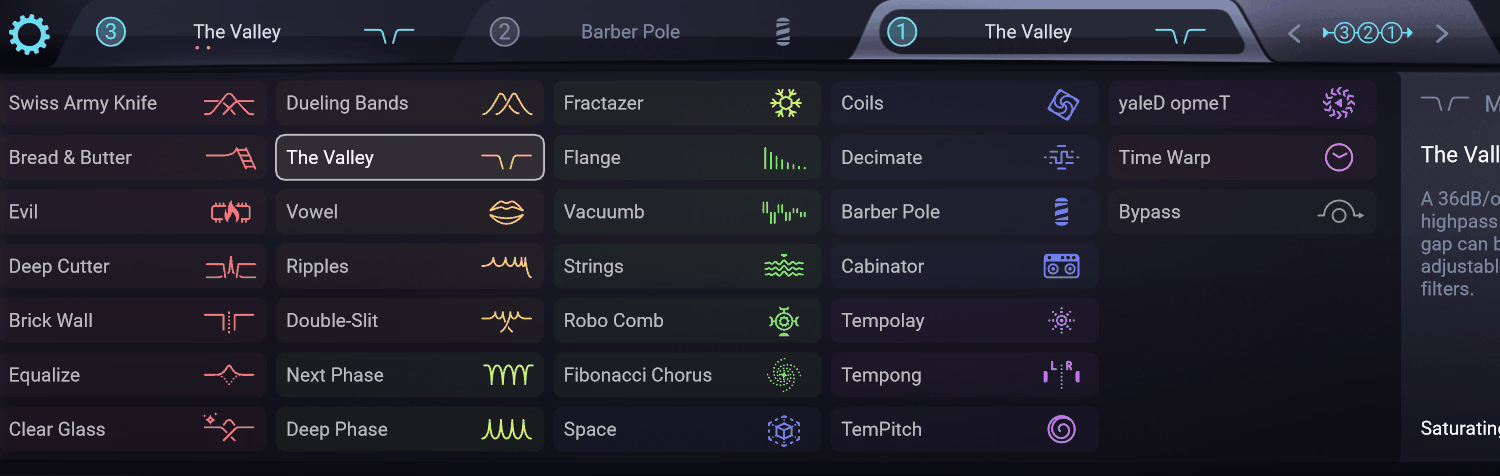
Version 1.2 added five more modules: The Valley (a dual-resonant band-reject filter with a built-in drive stage), Deep Phase (a phaser that produces bandpass peaks instead of notches), Fibonacci Chorus (a 12-voice chorus using non-repeating, golden-ratio-based modulation), BarberPole (a frequency shifter capable of generating Shepard tones), and Time Warp (a tempo-locked granular delay for stutter and glitch effects).
Fibonacci Chorus stood out the most to me. Put on a guitar layer, the movement never settled into an obvious loop the way most chorus effects do after a few bars.
These five modules arrived as a free update for existing owners, which is worth knowing if you assumed the plugin has stayed static since launch.
Modulation and sound design
The modulation system is where you will spend most of your time once the presets stop being enough, and it is where I ended up spending most of mine. Each of the 8 slots can be set to one of these sources:
- ADSR envelope
- Step sequencer with adjustable curves and swing
- Envelope follower
- Random value generator
- Pitch detector
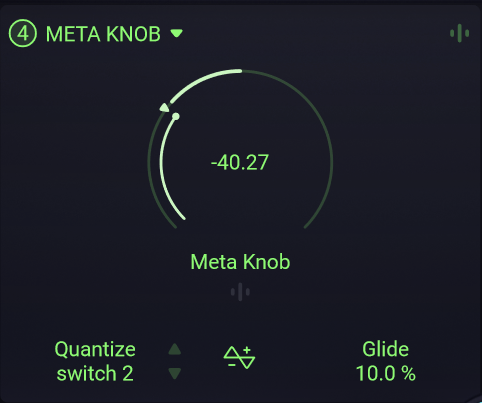
- Meta Knob, a macro control that can be quantized to musical scales
- MIDI/CV input
- Audio-rate oscillator
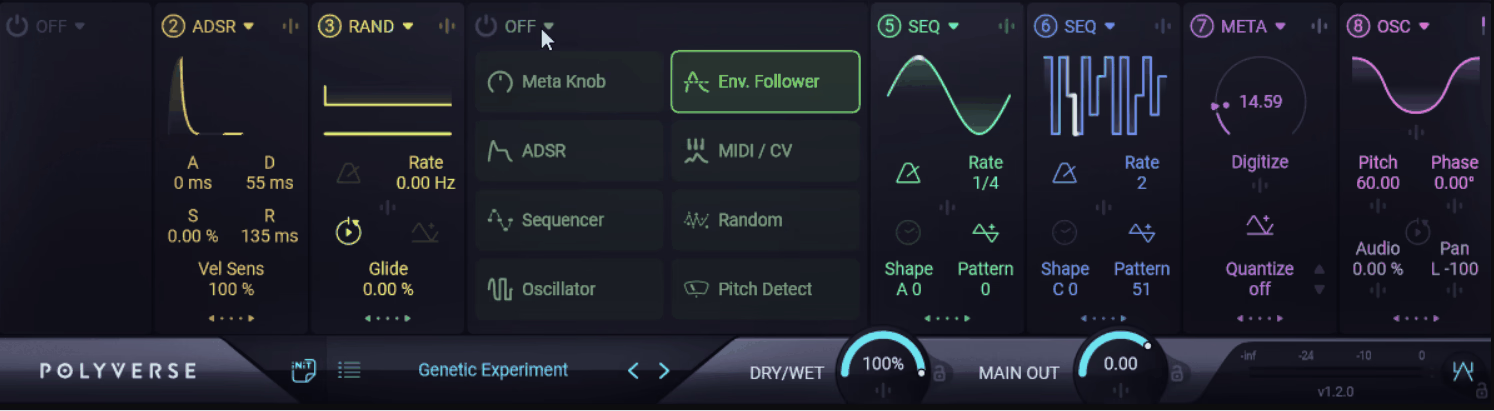
Nearly every parameter in the plugin can be a modulation target, sources can hit multiple targets, and targets can take multiple sources. The envelope follower became my default fairly quickly, since letting a filter react to the source material’s own dynamics felt more natural than programming a fixed shape by hand.
Modulators can also modulate other modulators, which is where the plugin starts to feel semi-modular rather than like a standard effect. It took some trial and error to fully get my head around, but color-coded slots keep the connections readable even once you have several layered together.
Presets
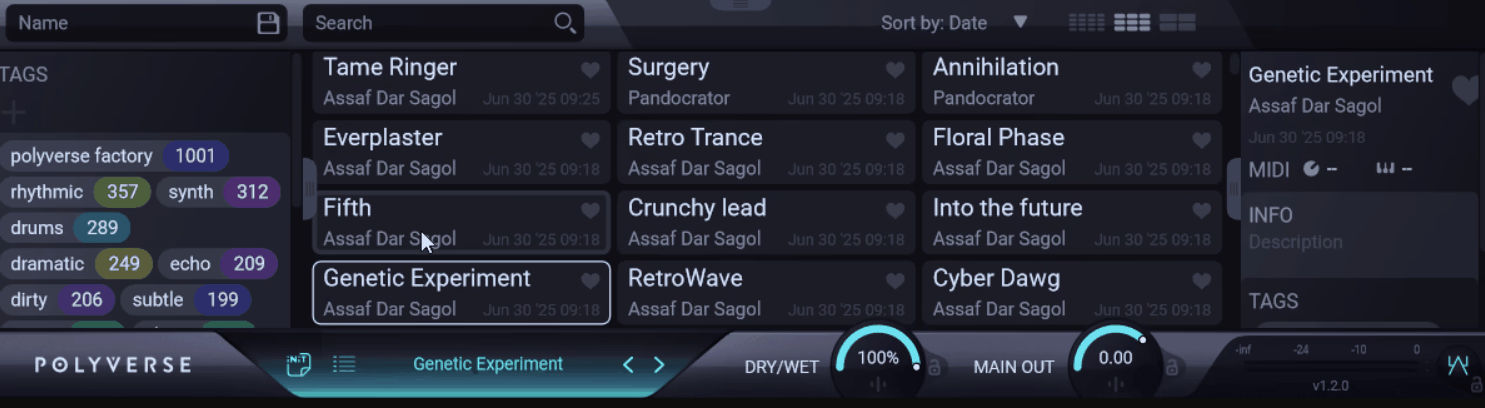
Filterverse ships with over 1,000 presets from a range of producers and sound designers. I went in wary of libraries this large, since they are often padded out with filler patches, but that was not my experience here.
A tagging system lets you browse by type, mood, or effect category, and you can mark favorites as you go. I had a small favorites folder built within my first session, just from presets worth revisiting.
A few workflow details worth knowing:
- Presets can be triggered with MIDI CC 119 or specific MIDI notes, functioning as keyswitches
- Global level and clipper settings can be locked, preventing volume jumps when switching presets
- Alt+Drag enables input and output gain compensation when driving filters hard
- CPU/Quality settings offer Low, Mid, and High modes, trading fidelity for headroom
Everyday Use
- Drums
The envelope follower made the biggest difference here, letting cutoff and resonance react directly to transients instead of moving on a fixed curve. Time Warp, the tempo-locked granular delay added in version 1.2, is well suited to live glitching and stutter effects since the grain engine stays locked to the groove instead of drifting off tempo.
Stacking three filter slots with active modulation on a full drum bus at the High quality setting is where CPU load became noticeable. Dropping to Mid solved it without an audible difference on this material.
- Bass
The Valley, with its dual-resonant band-reject design, carves mud out of sub-heavy basslines without thinning the low end the way a standard EQ notch often does. The pivot control lets you anchor one cutoff while sweeping the other, which suits Reese-style basses that need constant movement without losing weight.
Pushed too hard, the resonance can turn harsh on already-aggressive bass patches, so gain staging matters going in. Dialed in correctly, it replaces work that would normally take two or three separate plugins.
- Guitar
Cabinator, the amp and cabinet simulator tucked into the non-filter category, held up better than expected from a plugin sold primarily as a filter. Layering it with a phaser-style filter like Deep Phase added movement to a clean guitar part without needing a separate modulation plugin.
It won’t replace a dedicated amp sim if you need deep control over cabinet and mic choice, since the options here are more limited by design. As a character layer on top of an existing guitar tone, though, it does the job without adding extra plugins to the chain.
- Pads and Synths
On a static pad, cross-modulated sources built the kind of slow, evolving movement I would normally construct with multiple LFOs and a separate chorus plugin. The Meta Knob makes it easy to perform that transformation live rather than just setting it and leaving it alone.
Some of the more experimental filters, like Vowel and Strings, need real tweaking before they sit naturally in a mix rather than sounding like an unfinished demo patch. Budget time for that if you are working with them for the first time.
- Sound Design
On a plain noise texture, layering Fibonacci Chorus with a slow Deep Phase turned it into a shifting, evolving atmosphere within a couple of minutes, the kind of result that would usually take several chained plugins to build from scratch. The saturation built into many of the filters adds character that often works as a final polish on cinematic material.
The deeper you go into cross-modulated chains, the easier it becomes to lose track of what is actually driving what. If you plan to revisit a complex patch later, it is worth naming your modulation slots or taking a screenshot while it still makes sense to you.
Limitations
The depth here comes with a real learning curve. Getting comfortable with the filter catalog and the modulation system takes time, and my first session felt more like exploring than working.
If you want a plugin you can fully learn in an afternoon, this is not that plugin, and I would rather say so directly than let you find out after buying it.
CPU usage climbs at the High quality setting, especially with multiple filter slots running active modulation. The Mid setting handled everything I threw at it efficiently, but test your own heavier chains before building a session around them.
At $149 full price, this sits above budget filter plugins. I would not call it overpriced, but it is not an impulse buy either.
Filterverse: worth the price?
Filterverse combines a large filter catalog with a modulation engine capable of building layered, semi-modular patches inside one plugin, and that combination is uncommon at this scope.
It works as a quick tool for immediate results and as a deeper environment for custom sound design, depending on how much time you give it. I got value out of it on day one and I am still finding new combinations weeks later.
If you are a producer, sound designer, or composer who needs audio to move and evolve rather than sit static, this is a strong addition to your plugin folder. If you mainly need clean, surgical filtering for mix duties, you can probably find something cheaper that does that one job just as well, and I would tell you that honestly rather than oversell you on features you will not use.

Hey, I’m Viliam, I started Music Circuit to write about plugins and gear, so you always know what’s new and what’s worth trying. You’ll also find guides and tips here to help you get started, whether you’re picking your first plugin or building out a full studio.