When you purchase through the links on my site, you support the site at no extra cost to you. Here is how it works.
Granular synthesis used to sound like one of those techniques you needed to understand before you could actually enjoy using it. I’ve always thought the theory sounded more intimidating than the results, and modern plugins have made the whole process much easier to approach.
Instead of thinking about grains as a technical concept, I find it more useful to think of them as tiny pieces of audio that you can rearrange, stretch, pitch, and scatter until a familiar sample turns into something completely different.
I’ve spent a lot of time with granular tools, and these are the ones I’d actually consider putting into a session. Some are full instruments, some are effects designed to mangle existing audio, and a few are free, so I think the right choice really comes down to whether you want a playable granular synth, an experimental effect, or a quick way to turn static material into something more alive.
With that in mind, here are the granular plugins I’d put at the top of your list.
1. Baby Audio Grainferno
This is the kind of granular instrument that makes the technique feel immediately playable. What I like most is how quickly it can move from obvious granular texture into something that starts behaving more like a pitched oscillator.
That makes it unusually flexible. I can use Grainferno for subtle movement behind another instrument, but I can also push it hard enough that the original sample becomes little more than raw material for a new synth patch.
I also like the balance between instant gratification and deeper editing. You can get somewhere useful quickly, then keep digging when a preset is only the starting point.
- Dual sample engine:
It runs two independent sample sources simultaneously and lets you morph between them through seven modes, from straightforward crossfading to much more destructive transitions.
- Per-grain processing:
Each grain can go through a multimode filter, compression, and the Blur feedback effect, including the particularly aggressive ring-modulated Violent mode.
- Modulation:
The modulation system gives you three envelopes, three LFOs, three random generators, and an envelope follower, all connected through a drag-and-drop workflow.
2. PolyFreq Phonon
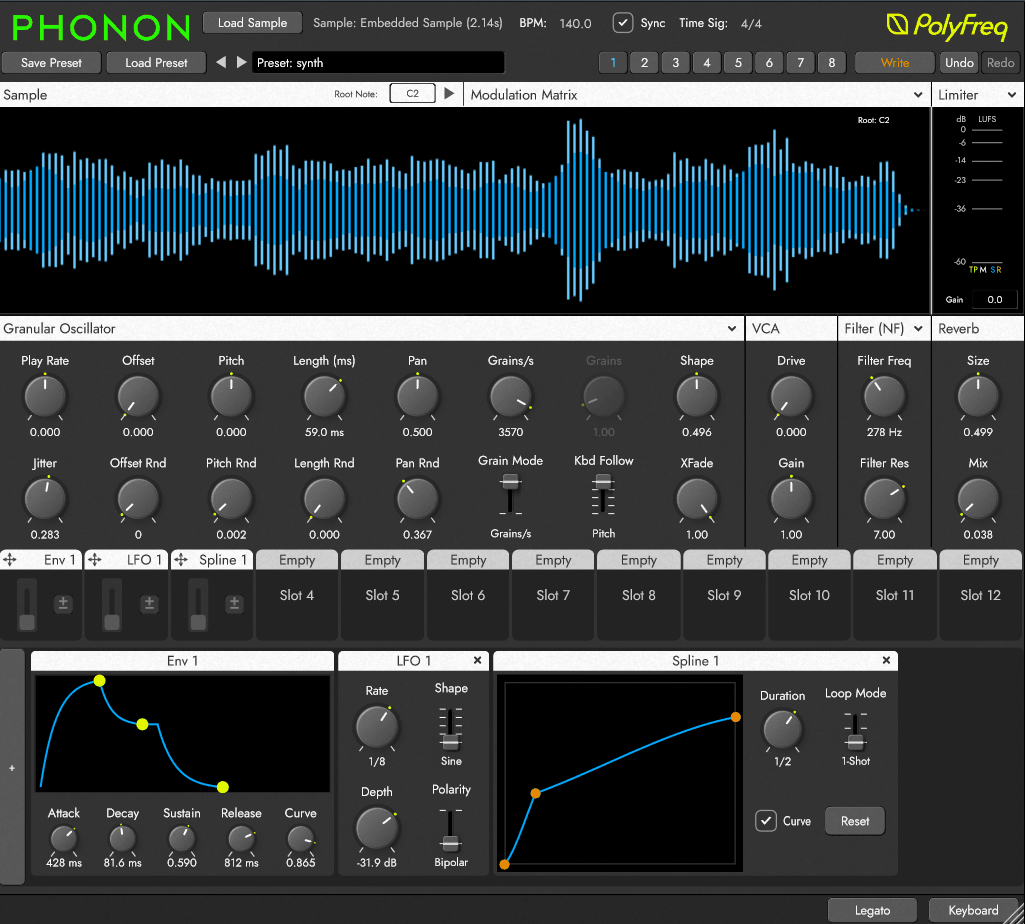
Most granular instruments are at their most interesting when you let some randomness into the process. Phonon takes a more controlled route, and that’s exactly what makes it interesting to me.
The result feels closer to a precision instrument than a conventional texture machine. I like that I can take an unusual sample and make it behave like something intentionally composed rather than simply letting the grain engine wander around it.
That makes it especially appealing when you want granular synthesis to sit inside an actual musical arrangement instead of only providing background atmosphere. I’d be much more likely to reach for this when pitch and timing need to behave predictably.
- Playable sampling:
Root-note detection, four keyboard-follow modes, and legato playback make it much easier to turn imported samples into playable instruments that track naturally across a keyboard.
- Granular architecture:
It provides eight voices of polyphony and up to 256 grains per voice, while keeping grain rate and density as separate controls for more precise shaping.
- Audio-rate modulation:
The modulation matrix can run at audio rate and includes LFOs, envelopes, a step sequencer, noise sources, and sample metadata as modulation inputs.
3. Dawesome Novum
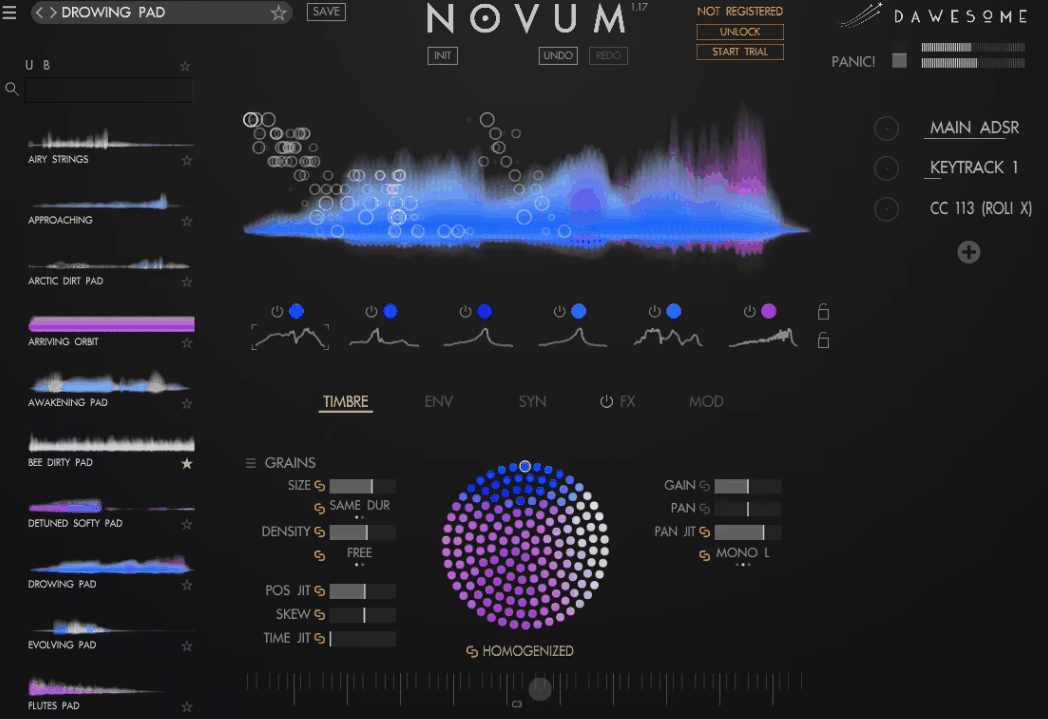
Novum is one of the more ambitious instruments here because it treats a sample as something you can dissect and rebuild rather than simply process from beginning to end.
That’s where I think it gets especially interesting. A choir hit, vocal phrase, or orchestral recording can become a layered instrument with several distinct personalities, instead of just one mangled sample.
Cross-synthesis pushes that concept even further. I can take characteristics from one sound and use them to influence another, which opens up a lot of combinations that feel much closer to resynthesis than traditional sampling.
- Timbre Flower:
The Timbre Flower provides a visual way to reshape a layer’s harmonic content, while Syntify adds Casio CZ-style phase distortion for more overtly synthetic tones.
- Filtering and effects:
There is an analog-style filter and comb filter, followed by a stackable effects section with tools including reverb, a Clouds-style processor, shimmer, delay, phaser, and chorus.
- Instrument features:
Novum includes around 300 factory presets, full MPE support, and independent layer processing, giving you plenty of control beyond basic granular manipulation.
4. Output Portal
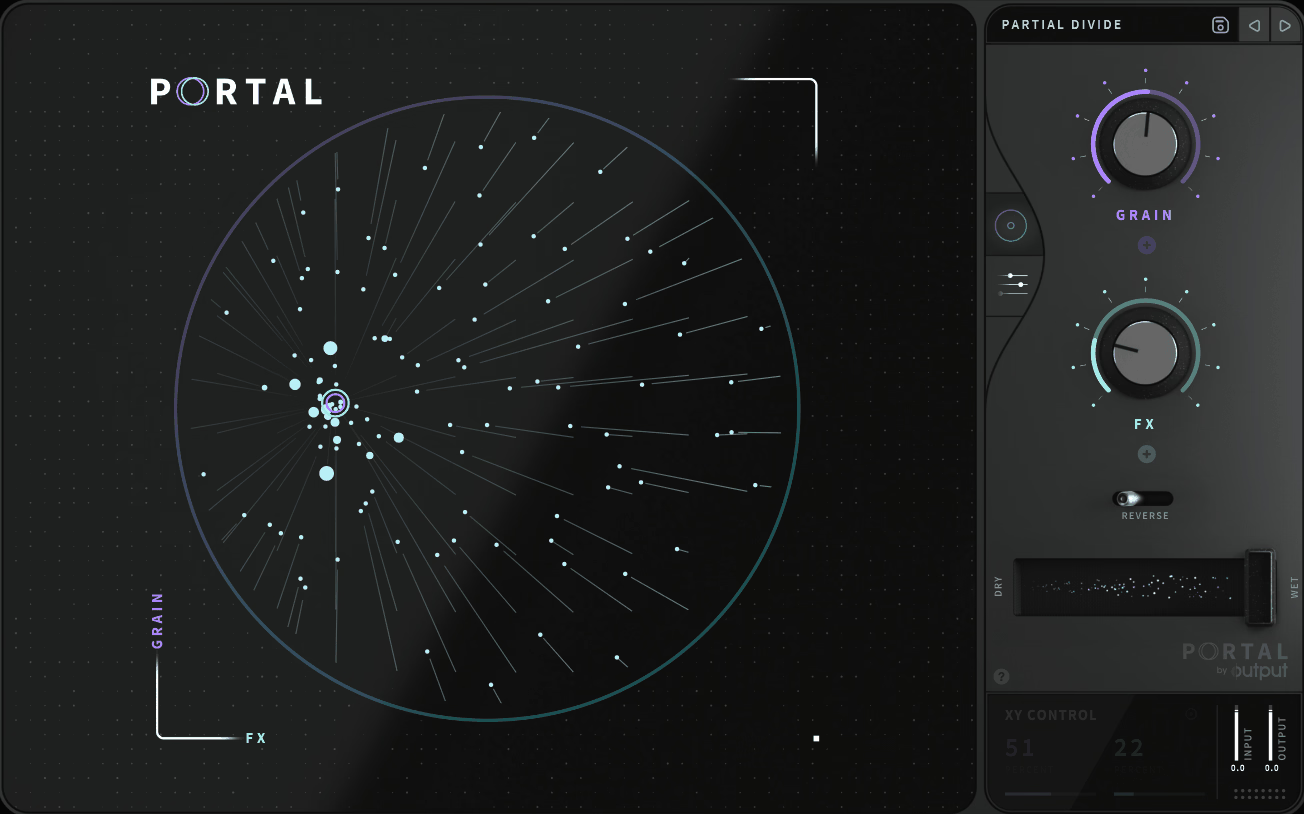
Portal is probably one of the easiest granular effects here to recommend to someone who doesn’t want to spend an afternoon learning a new synthesis system.
For me, the big circular control is a huge part of the appeal. I can move it around, hear the sound change immediately, and get a feel for what the plugin is doing before worrying about individual parameters.
That’s why I think Portal works particularly well on sources that are already fairly good but need more movement. I’ve found it especially easy to throw on a vocal, guitar, drum loop, or synth line and immediately get something more interesting without building a complicated setup.
- Granular controls:
The core engine gives you control over grain size, density, and randomization, while pitch shifting can operate freely or lock to a musical scale.
- Time manipulation:
A dedicated time-stretch mode lets you slow material down and sync it to your project, while Humanize introduces subtle variations that stop repeated grain patterns from sounding too mechanical.
- Built-in processing:
You get seven effects plus a master compressor and filter, along with more than 250 presets organized around different instruments and sound-design uses.
5. Inertia Sound Systems Granulizer 2
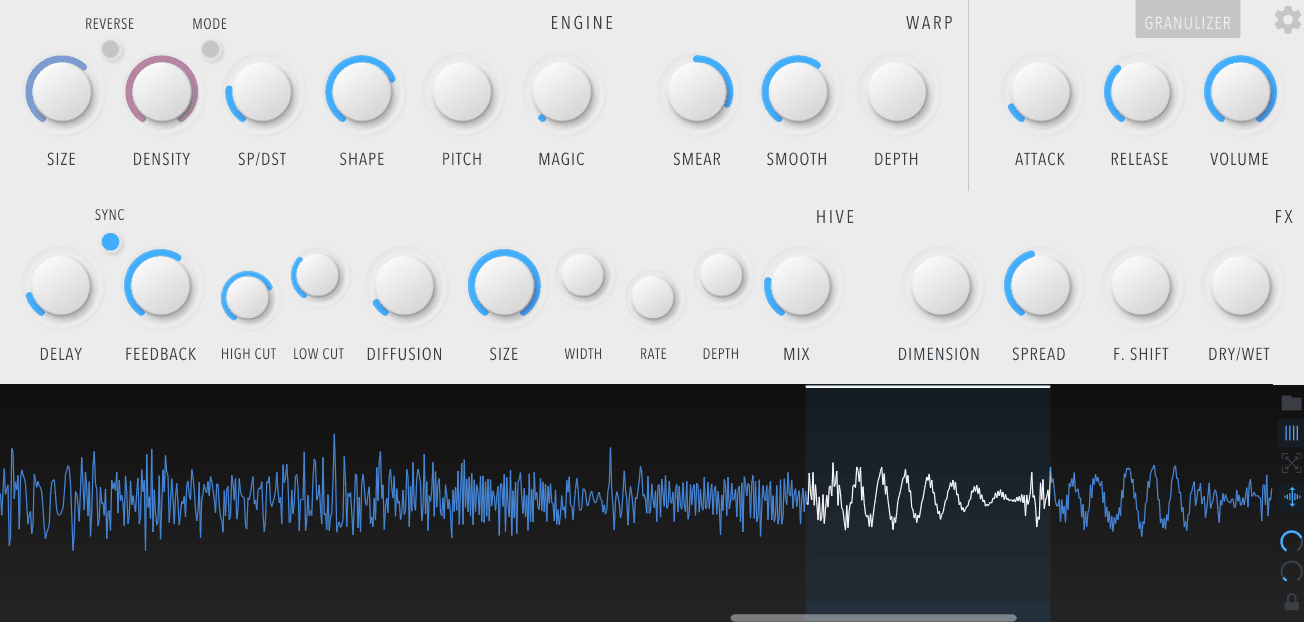
What keeps me interested is how far it can move from conventional granular textures. The overall sound can go from smooth, spacious textures to much harsher metallic material, and there is enough secondary processing that I don’t necessarily need to build a huge effects chain around it.
Granulizer 2 is a good choice when you want granular processing to go well beyond the familiar cloud-and-stutter territory.
For me, the appeal is how easily you can get results that feel more like sound design than conventional granular sampling. I’ve had the most fun with tools like this when the source is deliberately ordinary and the goal is to completely change its identity.
- Warp section:
The Warp system uses Smear, Smooth, and Depth controls inside a feedback-based modulation setup that can generate much more aggressive textures than the basic grain engine alone.
- HIVE processing:
HIVE combines diffusion delay, zero-delay feedback, analog-modeled filters, soft saturation, and infinite feedback for huge, sustained effects and drone-like textures.
- Waveform workflow:
An interactive waveform display gives you zoom and loop selection, while the Magic control introduces controlled randomization across internal parameters when you want less predictable results.
6. Native Instruments Straylight
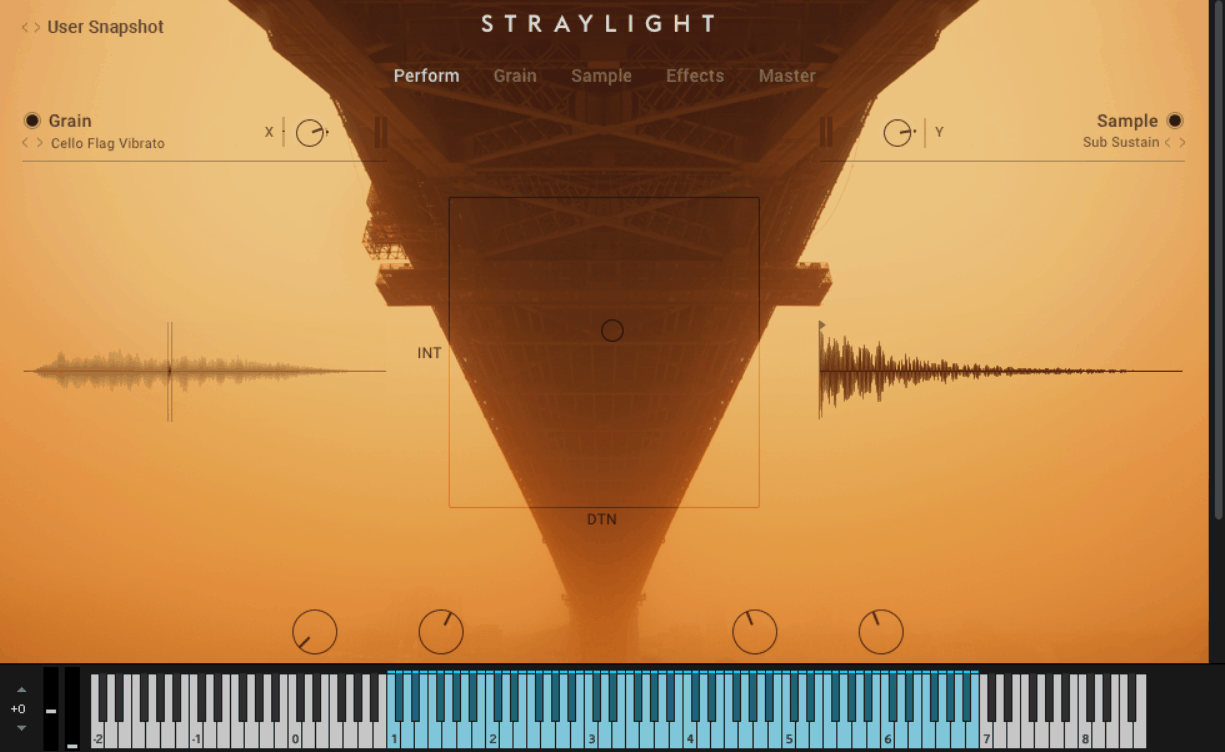
Where some granular instruments are designed to be blank canvases, Straylight is much more opinionated. It’s built around cinematic sound design, and I think the material inside it does a lot of the heavy lifting. The sources naturally point you toward transitions, atmospheres, pads, and dramatic textures.
That’s what I like about it. I don’t have to spend my first ten minutes hunting for source material that will actually work. The library gives me a useful starting point, while the interface lets me shape and perform the result instead of starting from scratch every time.
You’ll need Kontakt or the free Kontakt Player to run Straylight, so that’s one thing I’d check before buying it.
- Sound library:
It includes more than 360 sound sources, covering unusual materials such as strings, glass, stone, and membranes chosen specifically for granular manipulation.
- Performance control:
The X-Y modulation system lets you move grain parameters, effects, and intensity in real time, making the instrument particularly well suited to live movement and evolving transitions.
- Tempo and effects:
Grain rate can sync to the host tempo, while the instrument provides up to 14 simultaneous effects across filters, dynamics, delays, and reverb.
7. Thenatan Audio Aura
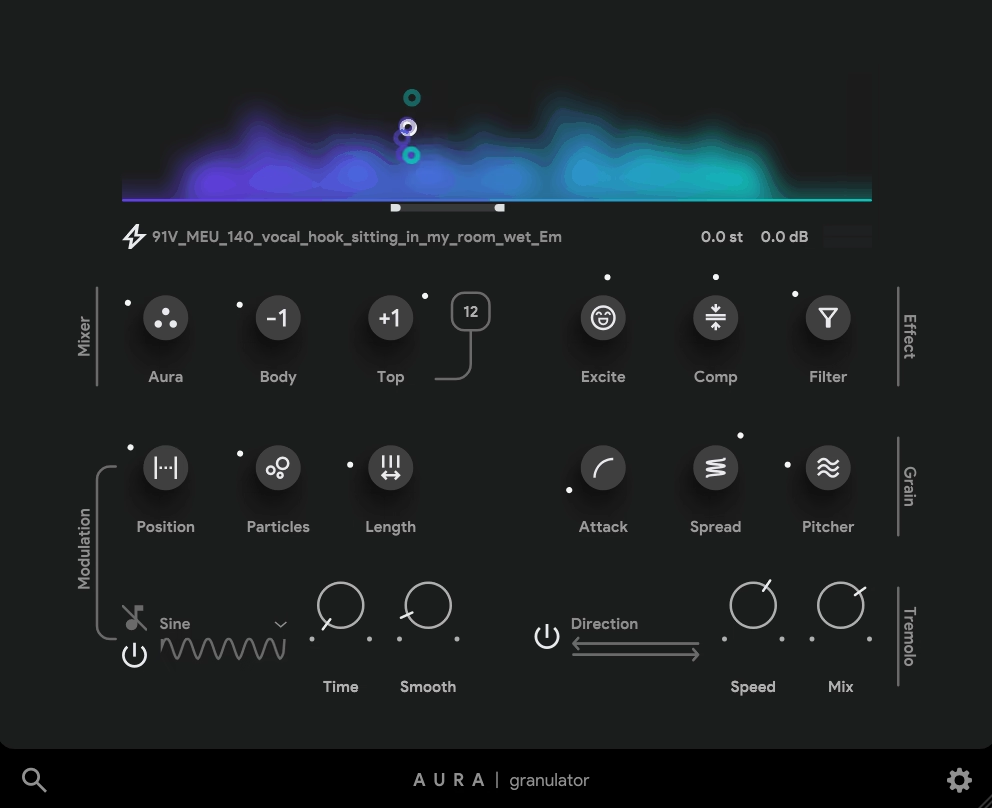
Aura takes a much more immediate approach than some of the deeper granular instruments on this list.
I see it as more of a quick-results tool than a granular laboratory. You can feed it anything from a drum loop to a melodic phrase and quickly turn that material into a softer, more animated texture.
I’d especially consider it if you’re working on hip hop, lo-fi, trap, game, or cinematic material and want a source to acquire some atmosphere without having to build a complicated granular patch from the ground up. I wouldn’t choose it when I specifically want to control every granular parameter myself.
- Particle generation:
Its Advanced Particle Generator takes incoming audio and breaks it into shifting particles that can transform anything from a short musical phrase to a full recording into a new texture.
- Movement:
Built-in LFOs support tempo sync and mid-side operation, with tremolo and panner modulation helping the resulting texture stay in motion.
- Processing:
Aura includes reverb and compression, along with a dedicated pitch-shifting control for changing the character of the result without altering its timing.
8. BLEASS Granulizer
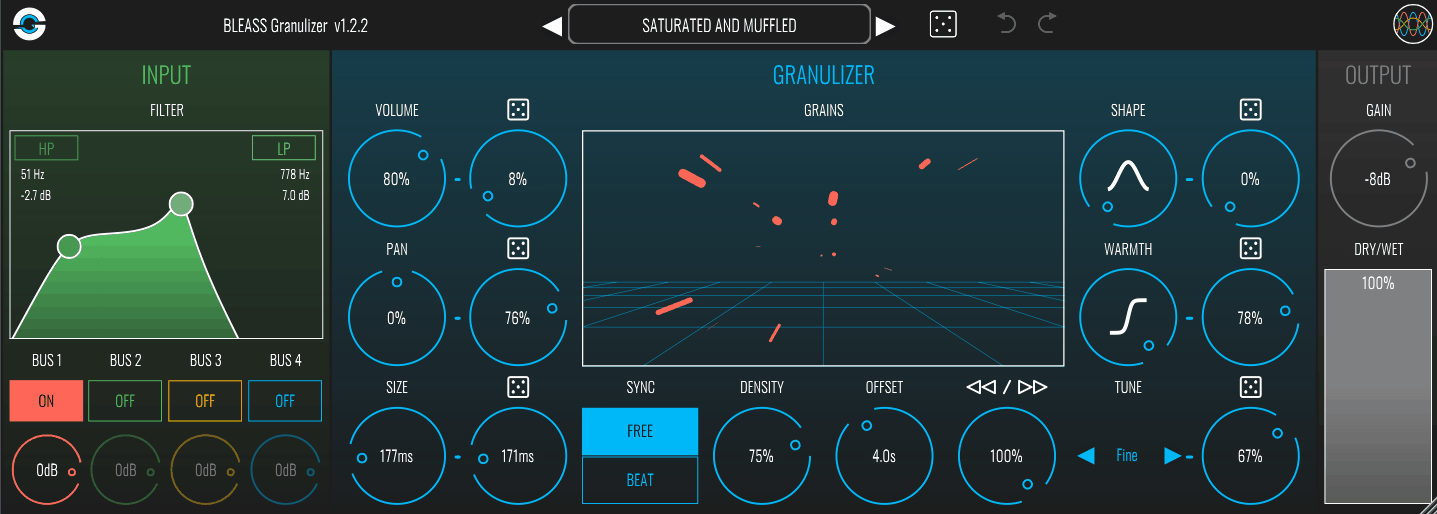
The interesting thing about BLEASS Granulizer is that it doesn’t treat your audio source as a single isolated input.
I particularly like the fact that I can pull grains from several parts of a mix at once. That makes it useful when I want the effect to feel integrated into the whole arrangement rather than obviously attached to one track.
The interface also makes the process unusually visual. I find it easier to understand what’s happening because I can actually see the grain parameters changing rather than guessing what a dense collection of numbers is doing.
- Multi-bus input:
You can pull grains from up to four different busses simultaneously, allowing several sources in your mix to contribute to the same granular effect.
- Musical grain control:
The Tune function can lock grains to scales, including major, minor, and several 7th-chord modes, while tempo-synced controls keep density and grain size rhythmically connected to your project.
- Visual interface:
Its 3D visualizer shows grain size, density, offset, and pan moving in real time, and the plugin is available on Mac, Windows, and iOS.
9. Glitch Machines Palindrome 2
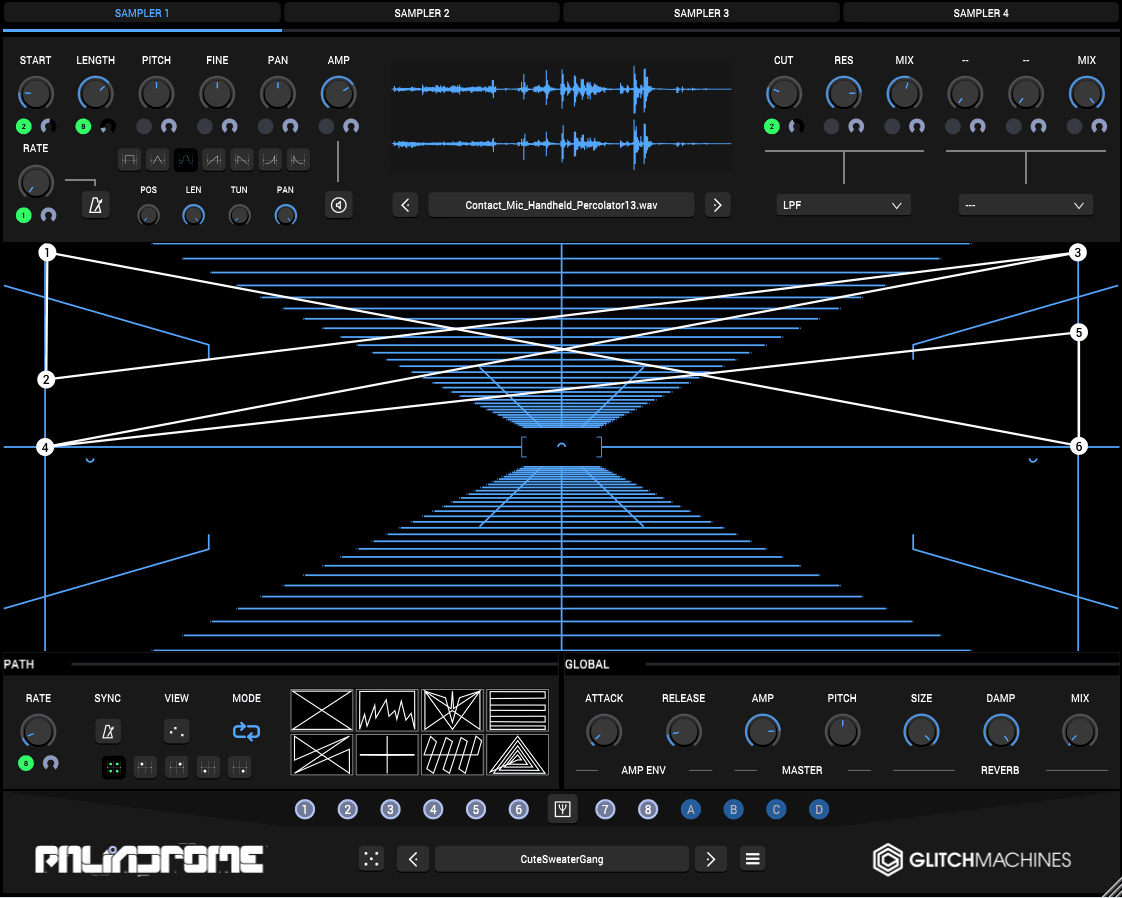
Instead of centering the workflow around one conventional grain cloud, Palindrome 2 gives you multiple sampler outputs that can be continuously blended through a path you draw yourself.
What I find most compelling about it is the way it turns sound design into something visual. I can draw a route through the different sources and then let the playhead do the work, which gives me a very different kind of control from simply turning grain density or position knobs.
I think it becomes particularly rewarding once you stop relying on the presets and start designing your own patches, because the morphing system gives you a lot of control over how the sound evolves.
- Morph plotting:
You can draw a path containing up to 16 points, with a playhead traveling through it and smoothly blending between the four sampler outputs.
- Sampler processing:
Each sampler can load up to two insert effects, with options including filters, distortion, ring modulation, delay, vowel filtering, and bitcrushing.
- Modulation:
Palindrome 2 provides eight multi-breakpoint modulation envelopes, four-note polyphony, and an extensive randomization system, plus a global reverb.
10. Arturia Efx FRAGMENTS
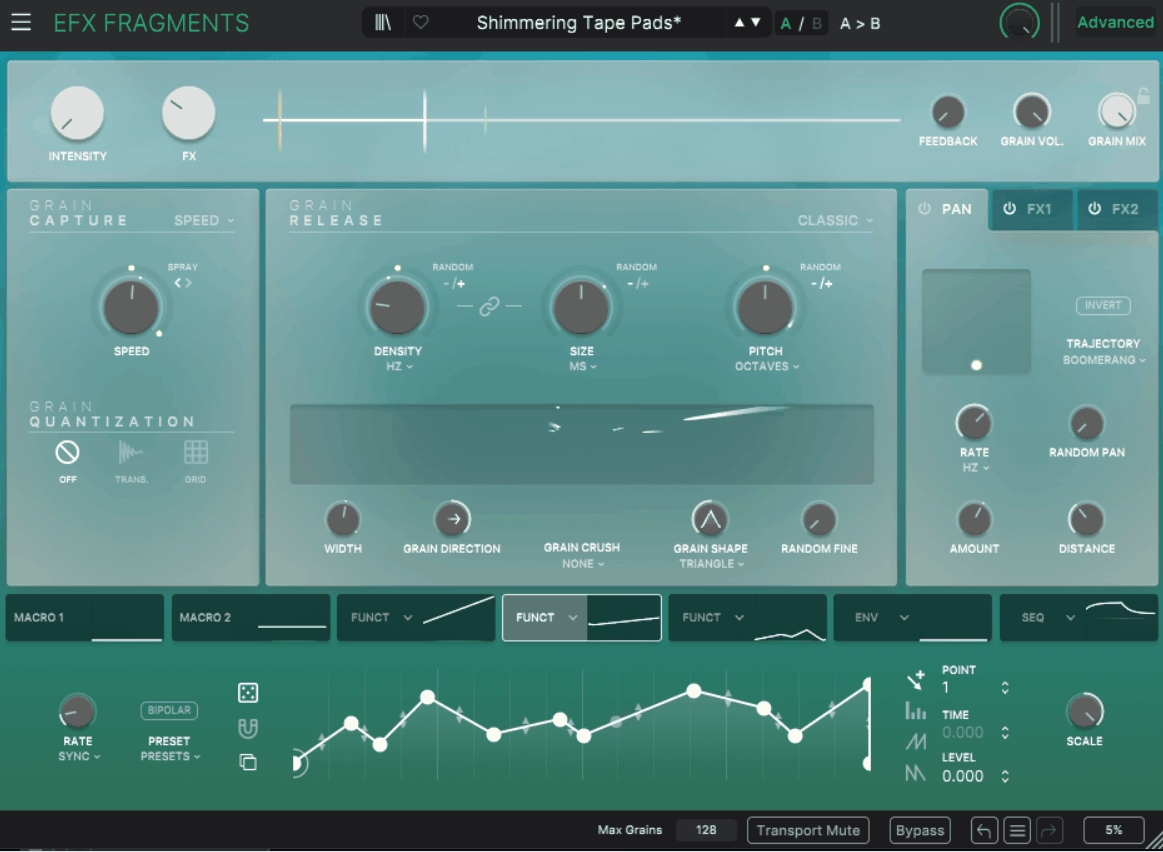
Efx FRAGMENTS is one of those plugins where the character changes dramatically depending on which mode you choose.
I like that I can approach it based on the result I’m after rather than having to understand the entire engine first. Classic gives me the broadest control, Rhythmic pushes toward tempo-based patterns, and Texture focuses on dense, evolving clouds.
I also like how much attention Arturia put into keeping heavily processed sounds musical. You can mangle a source pretty aggressively and still retain enough pitch and rhythm to keep it useful in a track.
- Three granular modes:
Classic, Rhythmic, and Texture each emphasize a different side of the engine, from detailed manipulation to tempo-based patterns and dense atmospheric clouds.
- Musical pitch control:
Its pitch system can quantize across 15 scales, while grain quantization can follow transients or snap to the project grid.
- Spatial and modulation tools:
You get a stereo spatializer with nine trajectory presets, two FX slots, Grain Crush, an envelope follower, three function generators, macros, and a step sequencer.
11. Native Instruments Pharlight
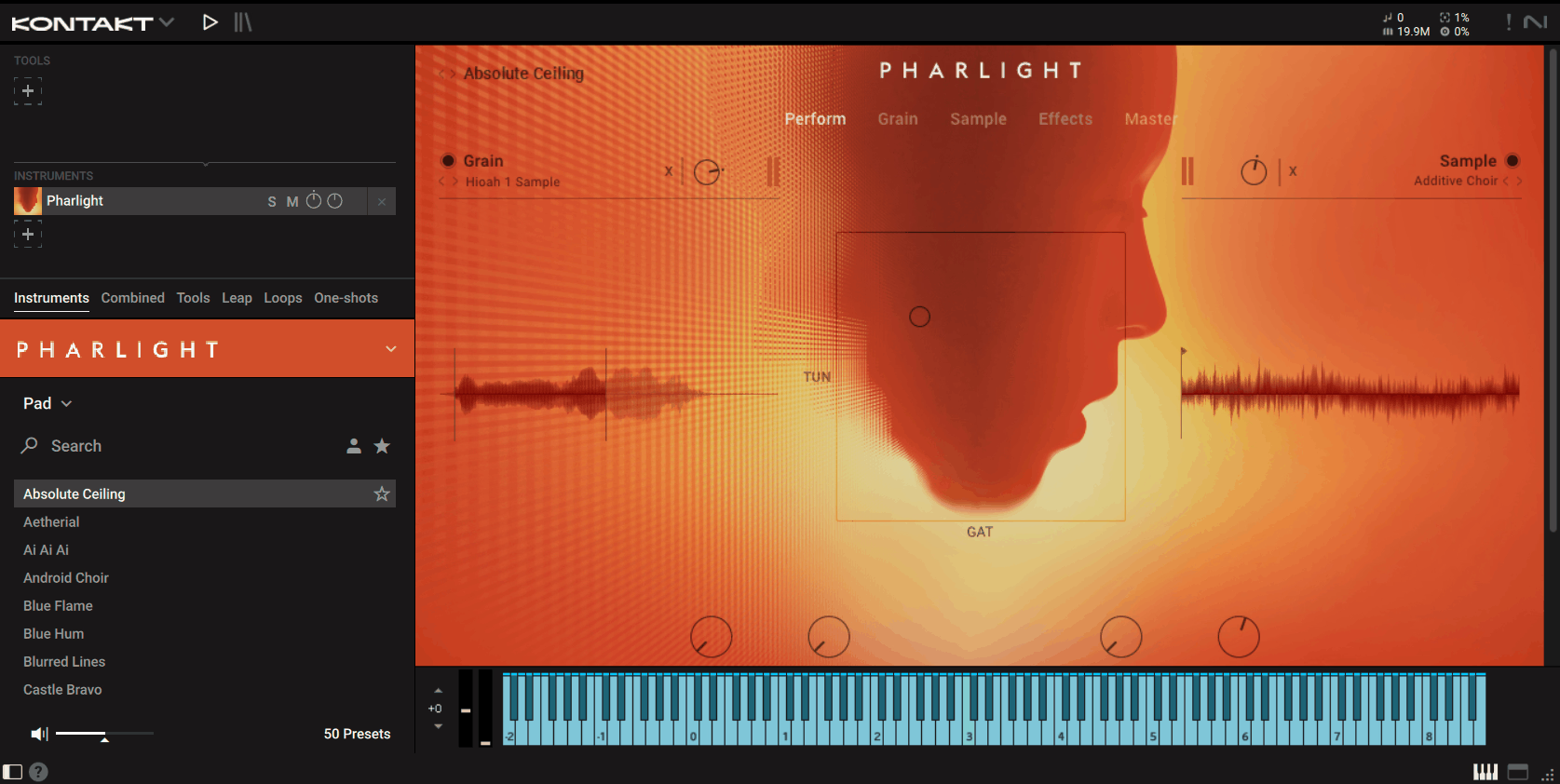
Every sound inside Pharlight started with the human voice, and I think that’s easily its most compelling selling point.
Rather than feeding the granular engine conventional synths or field recordings, Native Instruments built the instrument around vocal material from more than 15 artists and sound designers.
The clever part is that the finished sounds don’t necessarily resemble vocals. I’ve always liked granular instruments that have a strong source identity without forcing the finished patch to sound like the source, and Pharlight does that particularly well.
- Vocal source library:
The instrument is built entirely from vocal recordings, including beatboxing, choral material, whispers, and other performances created specifically for the engine.
- Dual-layer design:
The granular layer stretches and reshapes the voices, while a separate sample module adds additional synth-like and vocal textures underneath.
- Performance and presets:
You get an X-Y performance pad, deep modulation routing, around 364 sound sources, and more than 350 presets covering everything from cinematic pads to glitchy leads.
12. Lese Glow
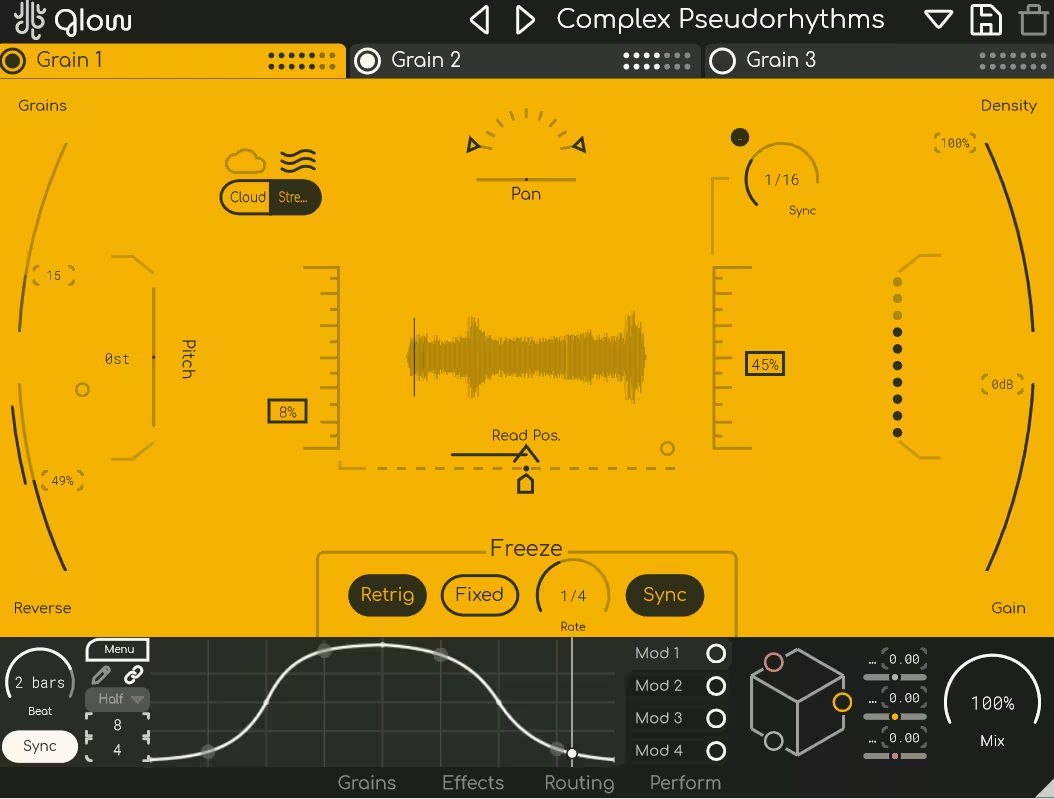
Lese Glow takes the basic concept of granular processing and multiplies it. Instead of working with one grain engine, it gives you three independent engines, which means you can build much denser textures without having to duplicate the plugin across multiple tracks.
For me, that’s the biggest attraction: each engine can become its own layer, and I can build a much more complex result from a single source without creating a complicated routing setup.
I also think the performance side is strong. Once I’ve built a patch, the Macro Cube gives me a way to manipulate several parts of it simultaneously rather than reaching for individual controls.
- Three grain engines:
Each engine can run up to 50 grains, giving you as many as 150 grains simultaneously when all three are active.
- Freeze and triggering:
The buffer can be frozen manually, from the DAW’s tempo, or through an external sidechain input, making it easy to capture moments from the input and hold them in place.
- Modulation and macros:
You get three effect slots per signal path and four customizable modulators, while the Macro Cube controls three parameters at once from a single gesture.
13. Soundtoys Crystallizer
This one is based on the reverse-shift processing associated with the Eventide H3000, but Soundtoys deliberately kept the slightly broken character of those early digital pitch shifters instead of trying to make everything perfectly clean.
I’ve always liked that character because it gives Crystallizer an identity you don’t get from a completely clean granular processor. It’s especially good for shimmering delays, ambient trails, reversed textures, and pitch-shifted effects that sound much more elaborate than they actually are to create.
- Granular echo:
It combines granular echo slicing with pitch shifting, letting you create repeating fragments that can move above or below the original signal.
- Vintage character:
The processing deliberately retains glitchy artifacts and rougher pitch-shifting behavior, giving the effect its distinctive retro-digital character.
- Tempo and dynamics:
You can sync the effect to your project tempo, automate it extensively, and use the built-in Gate and Duck controls to stop the echoes from overwhelming the dry signal.
14. Sugar Bytes Graindad
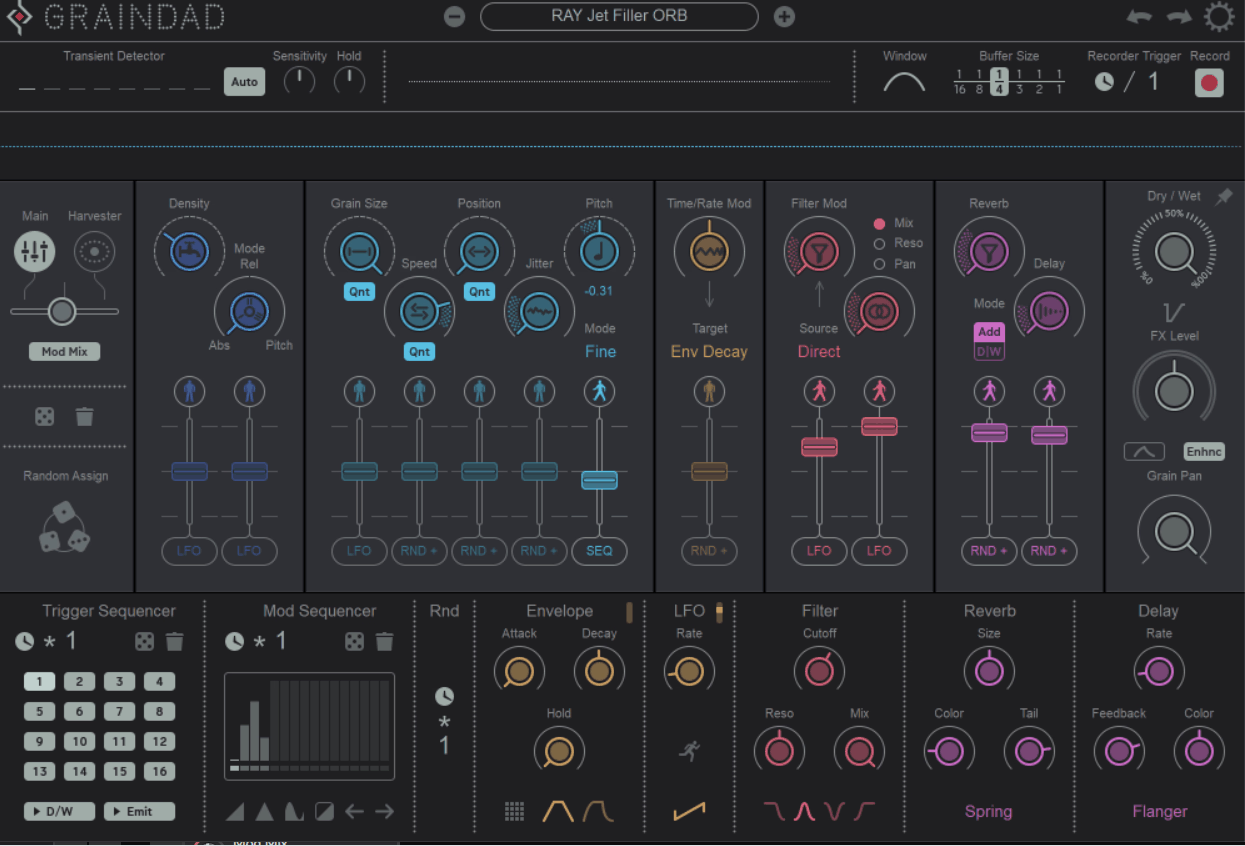
You record audio directly into Graindad‘s buffer, either synced to the host, triggered by MIDI, or activated automatically from transients. From there, the recording becomes raw material for a much deeper granular instrument.
What I like here is the combination of structured modulation and playful experimentation. I can automate things conventionally, but I can also throw the Harvester into the mix and move several parameters together in a much less predictable way.
It’s definitely a plugin that takes some time to understand, but I think that’s part of the appeal. Once the workflow clicks, one recording can produce a surprisingly wide range of sounds.
- Granular buffer:
Graindad can divide recorded audio into up to 64 grains, with 12 main parameters controlling how those grains behave.
- Harvester modulation:
The Harvester provides a visual modulation system for moving multiple parameters simultaneously, while Modmix lets you combine it with the more conventional envelopes, LFOs, and step sequencer.
- MIDI Arp:
A dedicated MIDI Arp mode can turn incoming notes into arpeggiated grain sequences, with filters, reverb, and delay available for further shaping.
15. Tracktion Delta-V SpaceCraft
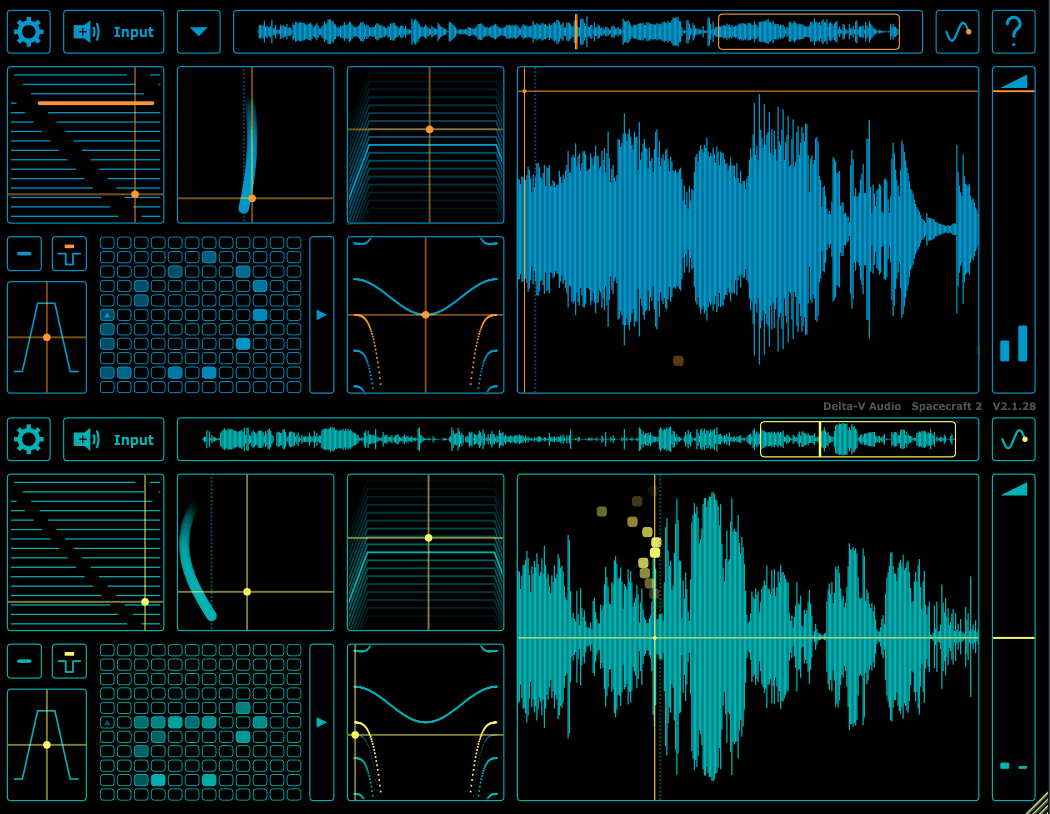
SpaceCraft started life as an iOS app, and you can still feel that influence in the interface. I like that it feels immediate and hands-on rather than overwhelming, which makes it easy to sit down with and start experimenting.
The two granular engines make it useful as more than a texture generator. I can create sustained sounds, rhythmic patterns, and playable patches, then use the performance controls to move between them in real time.
For me, the biggest attraction is that it feels like an instrument you can actually perform rather than a processing stage you set once and forget.
- Dual granular engines:
It provides two parallel granular engines, each with grain frequency and length controls, a sample-position LFO, plus stereo reverb and filtering.
- Grain pitch sequencer:
The pitch sequencer provides an arpeggiated note and grain grid with more than 24 scales, allowing you to turn textures into repeating melodic or rhythmic patterns.
- MIDI and MPE:
Loaded or recorded samples become playable via MIDI or MPE, with 16-note polyphony and per-note control over parameters such as pressure, glide, and grain position.
16. Sound Particles Density
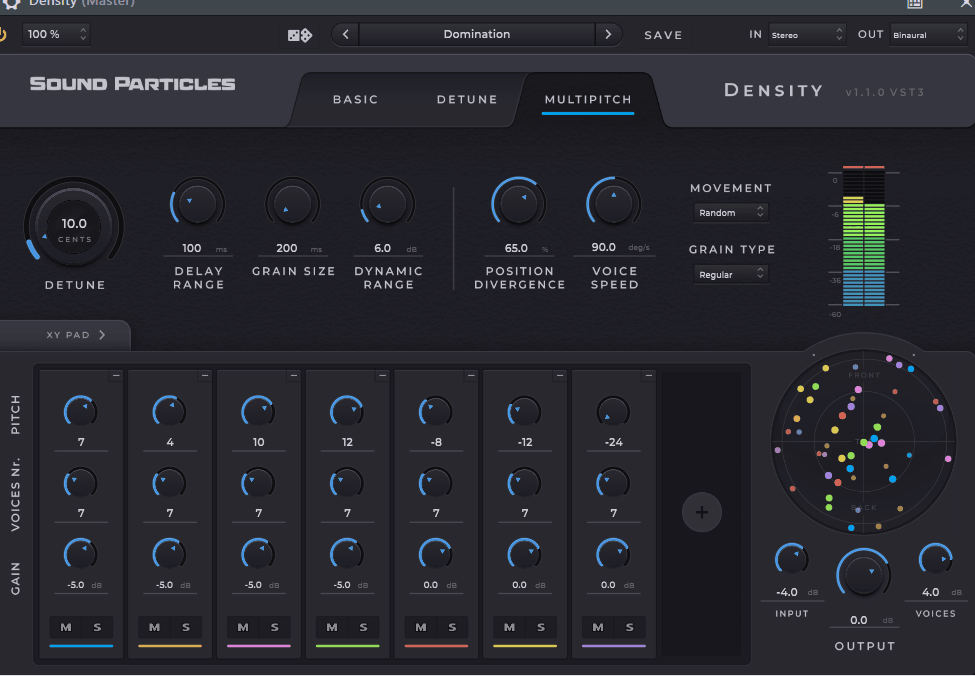
This is the odd one out on this list because its main purpose isn’t traditional granular mangling. Instead, it takes a signal and generates multiple variations of it, making it more useful for thickening, widening, and spatial sound design.
I’d reach for Density when the real problem is scale rather than transformation. Instead of taking a source apart and rebuilding it, I can use Density to make one sound feel much larger and more three-dimensional.
That becomes particularly interesting once you leave the normal stereo field. Density is designed with immersive formats in mind, so those additional voices can occupy actual positions in a larger three-dimensional space rather than simply being spread left and right.
- Three processing modes:
Density offers Basic, Detune, and Multipitch modes, gradually increasing how much control you have over the generated voices.
- Immersive formats:
It supports stereo as well as 5.1, 7.1, Ambisonics, and binaural formats, making it considerably more flexible than a conventional stereo doubler.
- Voice generation:
You can create up to 100 voices from a single input, with an X-Y interface for controlling voice count and pitch variation and a visualizer showing their positions in space.
17. Excite Audio Motion: Fractal
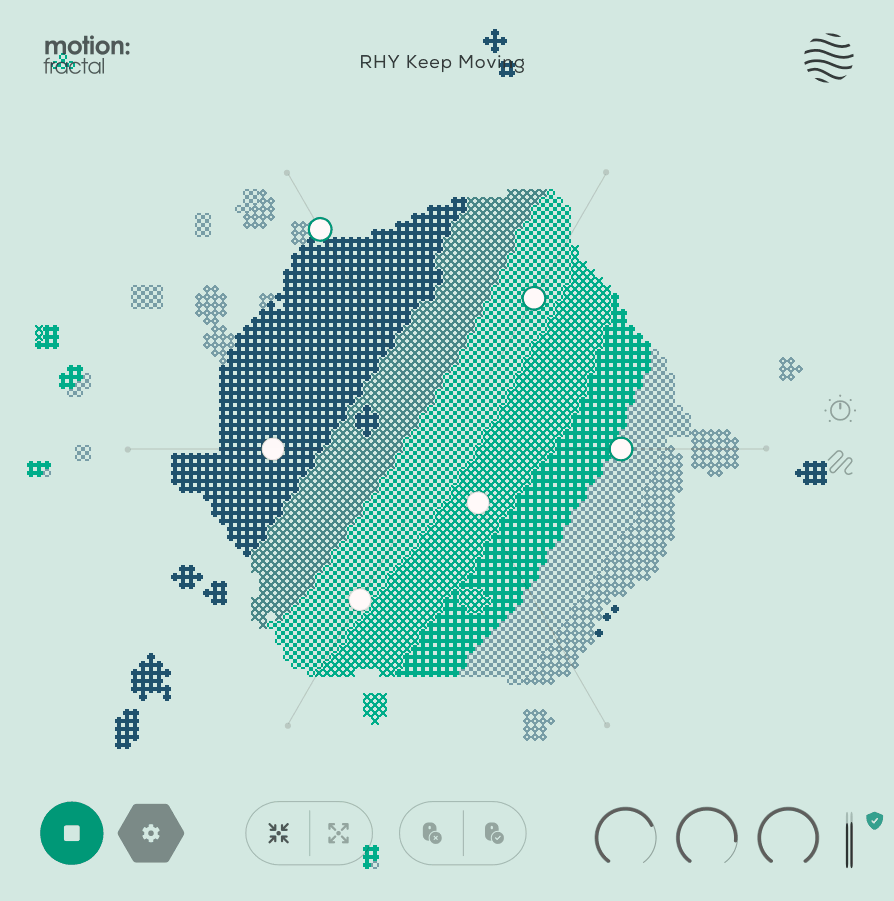
Fractal immediately looks different from most granular plugins. Instead of giving you another standard XY pad, it places the main controls around a hexagon-shaped interface with a central animated orb.
I think the interface is more useful than it first appears. The controls react to where your cursor moves, creating a more physical way of interacting with modulation than simply dragging a knob up or down.
Underneath that visual layer is a capable granular effect that combines rhythmic processing and movement, making Fractal especially suited to producers who want something that feels playable rather than purely technical.
- Reactive interface:
Six macro controls surround the central orb and can respond to your cursor movement, creating an unusual gesture-based approach to shaping the sound.
- Dual granular engines:
The core includes two parallel granular engines, combined with a 32-step trance gate, beat repeater, and reverb.
- Presets and visualization:
You get around 250 presets and a reactive 3D visualizer, making it particularly easy to explore different movement-based sounds quickly.
18. Imaginando GRFX
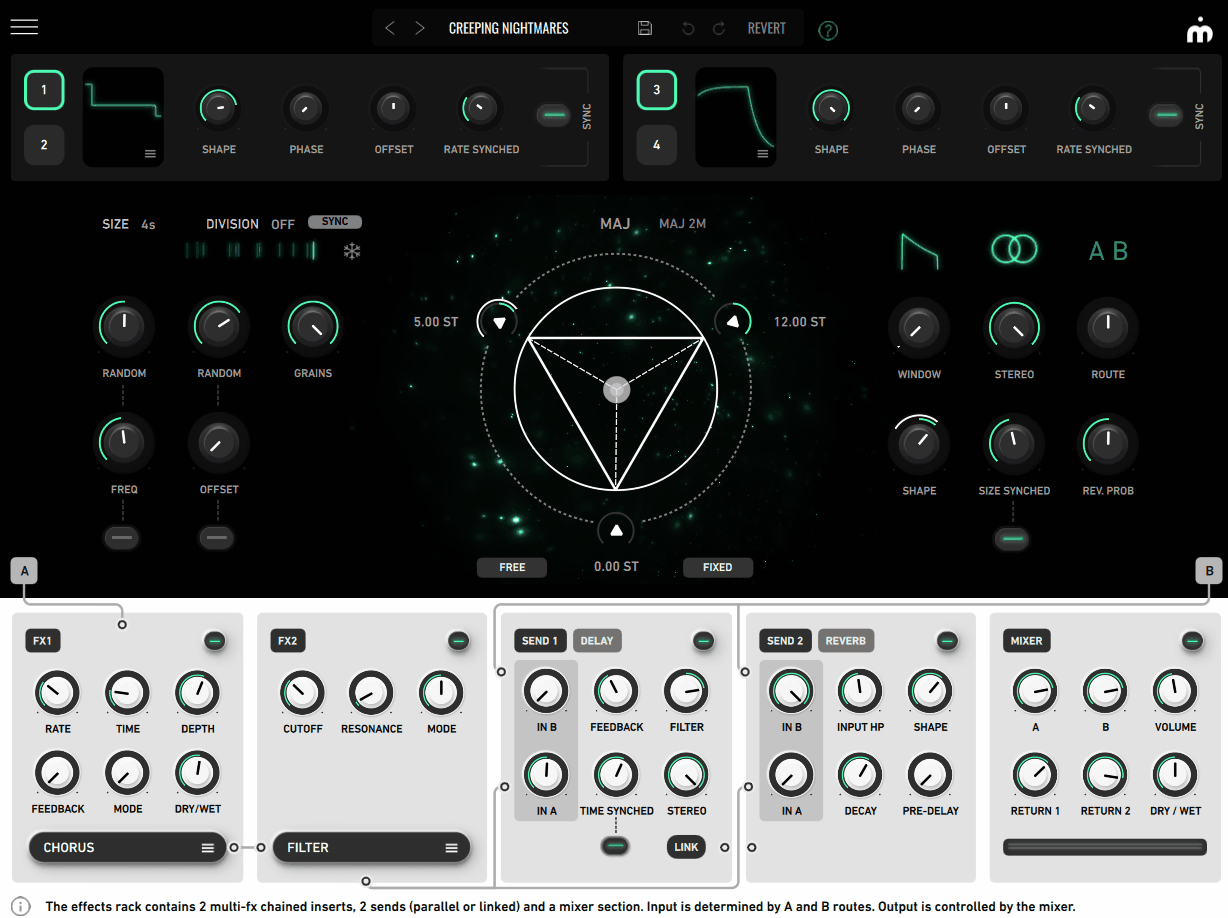
This granular synth has one of the more unusual concepts in this roundup. Instead of leaving pitch manipulation entirely to conventional controls, GRFX puts a Harmonic Triangle at the center of the workflow.
I like that because it makes granular processing feel more obviously musical. You can move individual grains toward chords, drones, arpeggios, and microtonal combinations instead of treating pitch as an entirely random parameter.
The visual design is certainly part of the appeal, but the real strength is how easily you can turn randomized granular material into something with an actual harmonic identity.
- Harmonic Triangle:
The triangle acts as a three-way transposition system, letting you move grains toward chords, drones, arpeggios, and microtonal sounds from a single interactive control.
- Multi-effects:
Two effect paths can each hold eight effects, including filter, distortion, delay, EQ, chorus, phaser, bitcrusher, and reverb, with probability controls determining how grains are routed.
- Modulation:
Four cross-modulatable LFOs can animate parameters throughout the instrument, while dedicated delay and reverb sends can run in series or parallel.
19. Native Instruments Ashlight
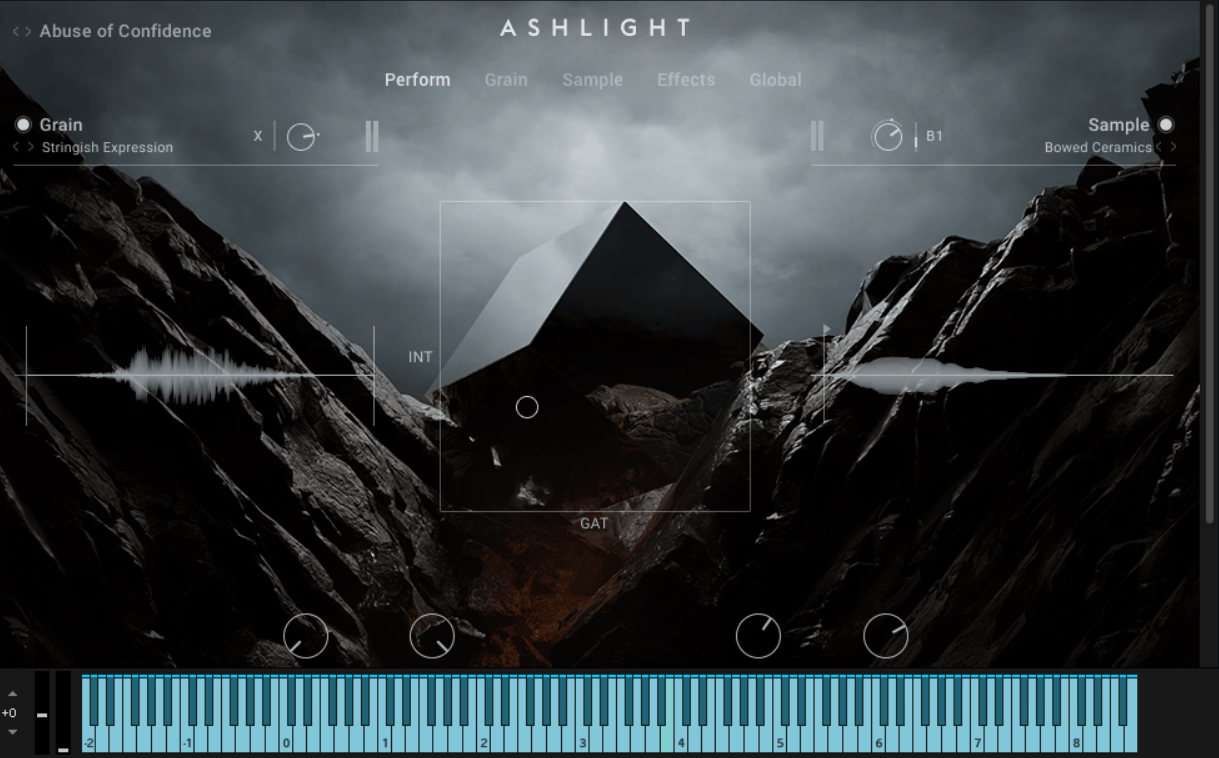
Where Straylight leans toward futuristic atmospheres and Pharlight is built around vocals, Ashlight is all about cold, abrasive, and uneasy textures. I think the source recordings themselves do a lot of the work here, because they’re unusual enough to give the instrument a distinctive identity before you even start processing them.
I’d describe it as a very focused instrument. I wouldn’t necessarily load it first for a warm pad or conventional synth line, but for tense cinematic underscore, horror, sci-fi, and dramatic transitions, it has a very clear role.
- Unusual source material:
The library draws from bowed metal, carbon, ceramics, glass, waterphones, and feedback cycles, all chosen for their darker granular character.
- Layered engine:
The instrument combines grain and sample layers, with dedicated performance, grain, sample, effects, and global pages for deeper editing.
- Library and tempo:
It includes around 363 sample sets and 300 presets, while the grain layer can sync to tempo for transitions and risers that line up with the arrangement.
20. Audio Damage Quanta 2
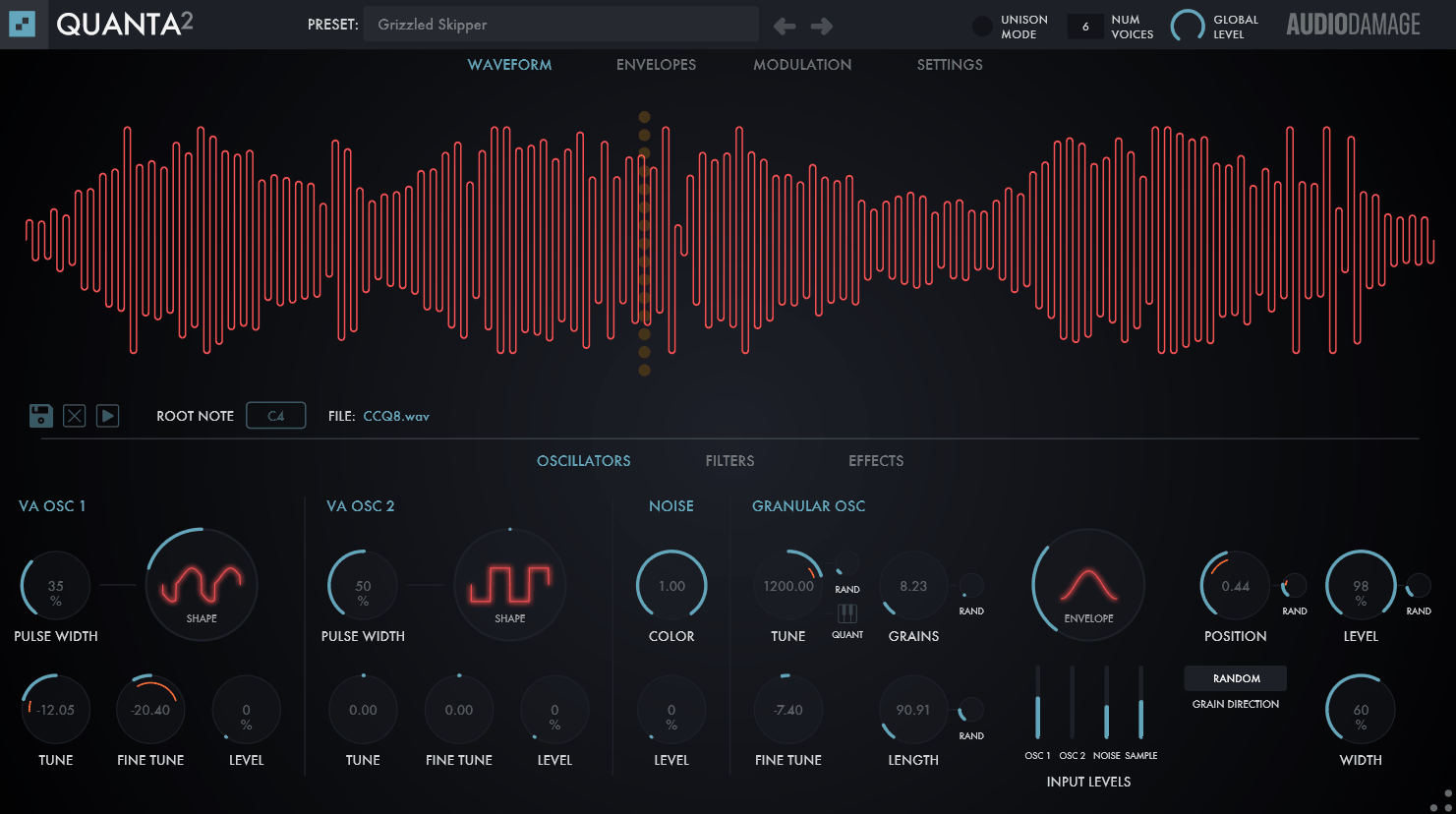
Lastly, Quanta 2 is the granular synth I’d point you toward when you want the technique to behave like an actual synthesizer rather than a sound-design experiment.
That’s probably why I like it so much: the granular oscillator doesn’t have to carry the entire patch by itself. You can combine it with two virtual analog oscillators, meaning a granular layer can sit alongside a conventional synth voice instead of replacing it.
That makes Quanta 2 particularly useful for producers who want to experiment with granular synthesis but still want the workflow and predictability of a traditional synth.
- Granular oscillator:
The granular section can produce up to 100 grains per voice, and you can layer it with two virtual analog oscillators for more conventional tonal material.
- Pitch tracking:
Root-note detection can automatically determine the source pitch, while granular pitch quantization and MTS-ESP microtuning support help keep randomized material musically controlled.
- Synth architecture:
You get dual multimode filters, four envelope generators, MPE support, chorus, stereo delay, and reverb, giving Quanta 2 a complete synthesizer-style signal path.
Freebies:
Innear Display Litote
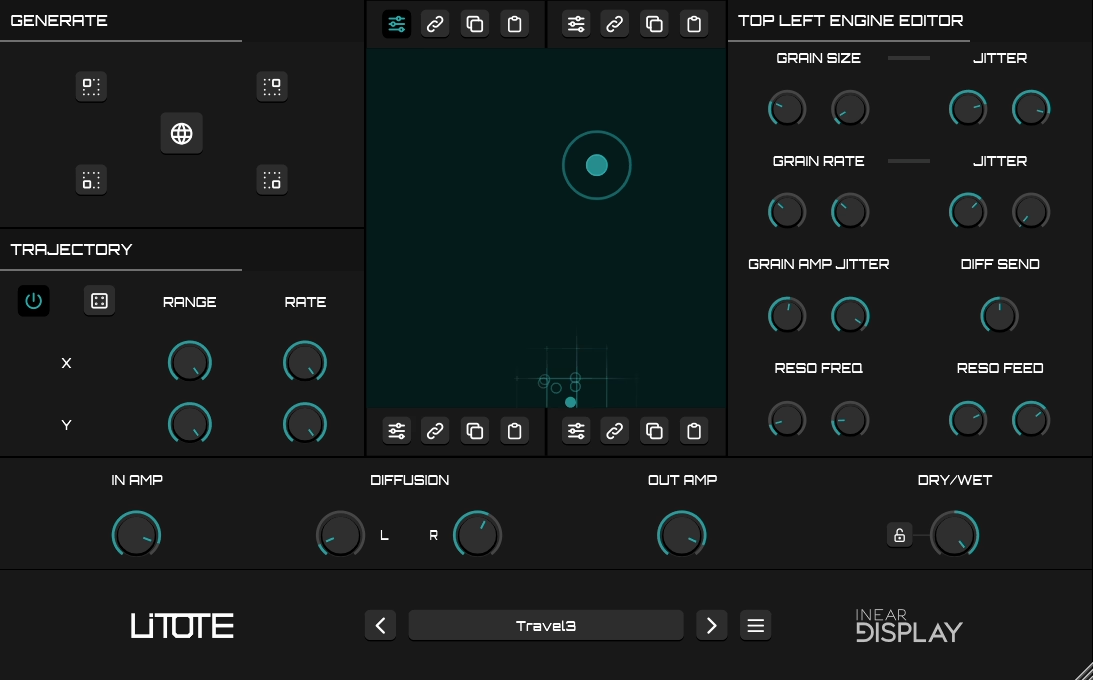
Litote takes a multi-engine approach, combining several granular processors with additional diffusion and resonant effects.
I think it’s especially interesting if you like the idea of letting several layers interact rather than building everything from one grain stream.
- Four engines:
It runs four independent granular engines, each combining a granulator with a resonator and diffusion delay.
- Randomization:
A smart randomizer can generate new patches automatically, while the engine editor lets you take over and shape the sound manually.
- Trajectory mode:
The trajectory system can move through its own textures automatically, making it useful for evolving ambient and experimental soundscapes.
Hvoya Audio Ribs
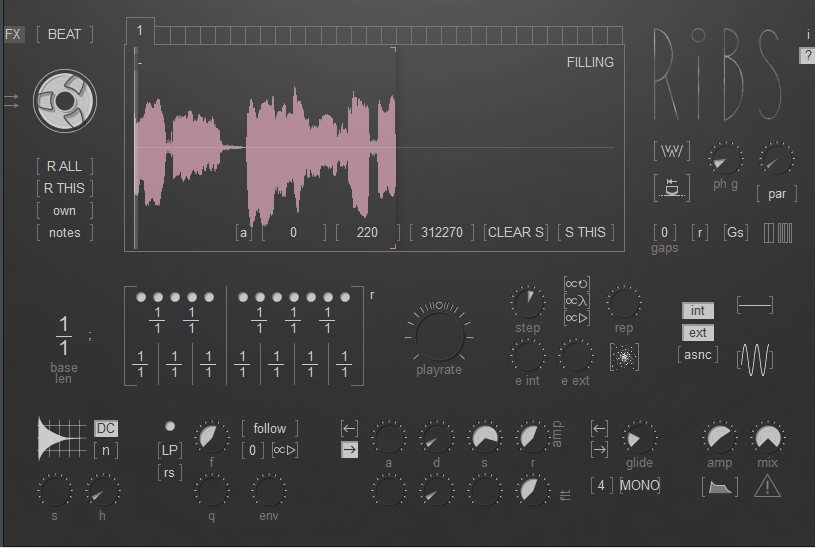
You can approach it as a synth, use it as a scratch-style sampler, or push it toward rhythmic granular patterns. Ribs does take some time to understand, but that hands-on character is part of why I find it interesting.
It can actually operate as a polyphonic or monophonic instrument, while direct playhead control lets you scratch through captured material almost like a turntable.
- Rhythmic processing:
You can create polyrhythmic patterns from custom grain sizes across up to 32 buffers.
- Capture workflow:
The plugin requires MIDI input to populate its buffers, and captured audio isn’t saved with the patch, so you’ll want to record interesting results as you work.
Daniel Gergely’s Emergence
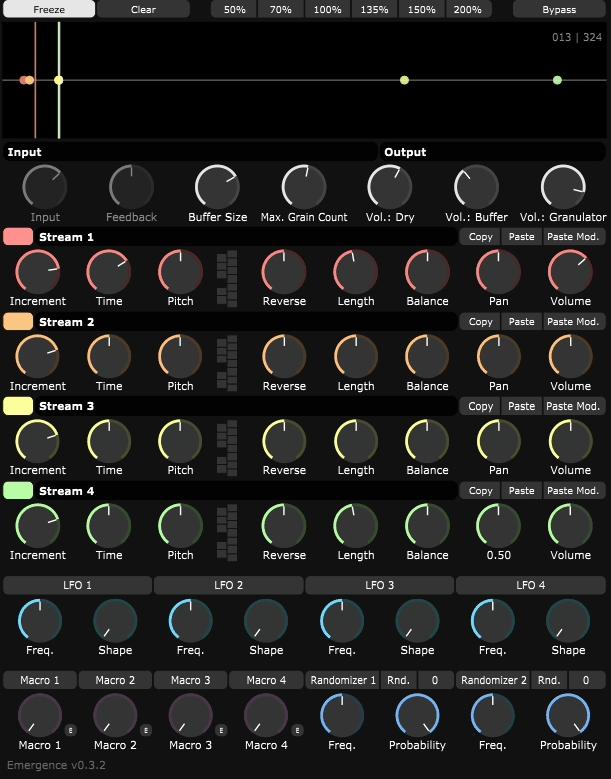
I think it’s one of those free plugins that can make a very basic source sound much larger than it really is. Feed it a single piano note or sustained instrument and you can quickly end up with a dense, evolving texture.
Emergence continuously records the incoming signal into a buffer and then distributes that material across several independent granular streams.
- Four granular streams:
Emergence continuously records incoming audio and plays the captured material back through four independent granular streams.
- High grain count:
The engine can run up to 600 grains simultaneously, giving it plenty of headroom for dense, layered textures.
- Modulation:
You get a built-in system with LFOs, envelopes, and macros for adding movement and turning simple recordings into evolving soundscapes.
How Granular Synthesis Works and When to Use It
At its core, granular synthesis breaks a recording into tiny pieces of audio, usually somewhere between 1 and 100 milliseconds long. I think of each grain as a miniature snapshot of the original sound. A grain engine takes those fragments and plays them independently, allowing them to overlap, move around the source, reverse, stretch, or change pitch before they’re recombined.
The main controls you’ll encounter are grain size, density, position, and pitch. In my experience, those four can take you from a barely processed sample to something almost impossible to recognize.
I’d reach for granular processing when I want a sound to breathe, evolve, or develop movement without completely losing its connection to the source.
I’ve also found it particularly useful for glitchy rhythmic effects, stretched ambiences, evolving pads, and strange transitions. I wouldn’t reach for it when the source needs to remain completely clean and recognizable, though. If you need a lead vocal or kick to retain its original character, I’d usually look elsewhere.

Hey, I’m Viliam, I started Music Circuit to write about plugins and gear, so you always know what’s new and what’s worth trying. You’ll also find guides and tips here to help you get started, whether you’re picking your first plugin or building out a full studio.